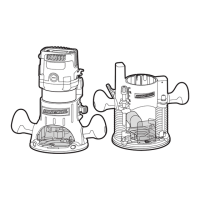
SWITCHING FROM THE PLUNGE
BASE TO THE FIXED BASE (see
Fig. 2. to Fig. 5)
To remove the plunge base
• Unplug the router.
• Loosen the lock lever.
• Tighten the locking arm for
stability.
• Remove the motor pack from the
plunge base.
To install the fixed base
• Loosen the lock lever on the xed
base.
• Depress and hold the adjustment
button.
• Align the tab on the motor pack
with the slot in the fixed base.
• Tighten the lock lever.
INSTALLING/REMOVING THE MILLING CUTTER
To install the cutter (see Fig.6)
• Unplug the router.
• Hold the collet nut using the
wrench that is provided, and
depress the spindle lock until it
locks into place.
• Loosen the collet nut, insert the
cutter.
• Tighten the collet nut using the
wrench that is provided.
• Release the spindle lock.
To remove the cutter
• Hold the collet nut using the wrench that is provided, and depress the
spindle lock until it locks into place.
• Loosen the collet nut, and remove the cutter.
• Release the spindle lock.
SETTING THE CUTTING DEPTH FOR
FIXED BASE ROUTING (see Fig. 7)
The bit depth can be adjusted by
turning the depth adjustment knob
clockwise or counter-clockwise.
The cutting depth can be read on
the depth adjustment knob. Each
mark on the scale indicates a
change in the depth setting of 1/64”.
• Unplug the router.
• Loosen the lock lever.
• Turn the depth adjustment knob clockwise or counter-clockwise to move
the collet down or up.
• When the desired cutting depth is set, tighten the lock lever.
SETTING THE CUTTING DEPTH FOR PLUNGE BASE ROUTING(see Fig. 8)
The cutting depth can be adjusted
in two ways: by depressing the
handles, or by turning the depth
stop on the plunge base.
• Unplug the router.
• Loosen the adjustment bar knob.
• Pull the locking arm up.
• Lower the router until the router
bit touches the workingpiece.
• Push the locking arm down.
• Move the pointer of adjustment bar to the zero position on the scale.
• Add the desired depth of cut to the position on the scale.
• Move the adjustment bar to the calculated position on the scale.
• Tighten the adjustment bar knob.
• Fine adjust using the ne adjustment knob.
• Pull the locking arm up and let the router return to its original positon.
• Swith the router on, then lower the unit to make the desired cut.
Fig. 5
Fig. 7
Depth adjustment knob
Fig. 4
Plunge Base
Fig. 6
LED
worklight
Fig. 8
Adjustment bar
Adjustment
bar knob
Depth stop


 To Next Page
 Loading...