Page 4
OPERATING INSTRUCTIONS
INSPECTION
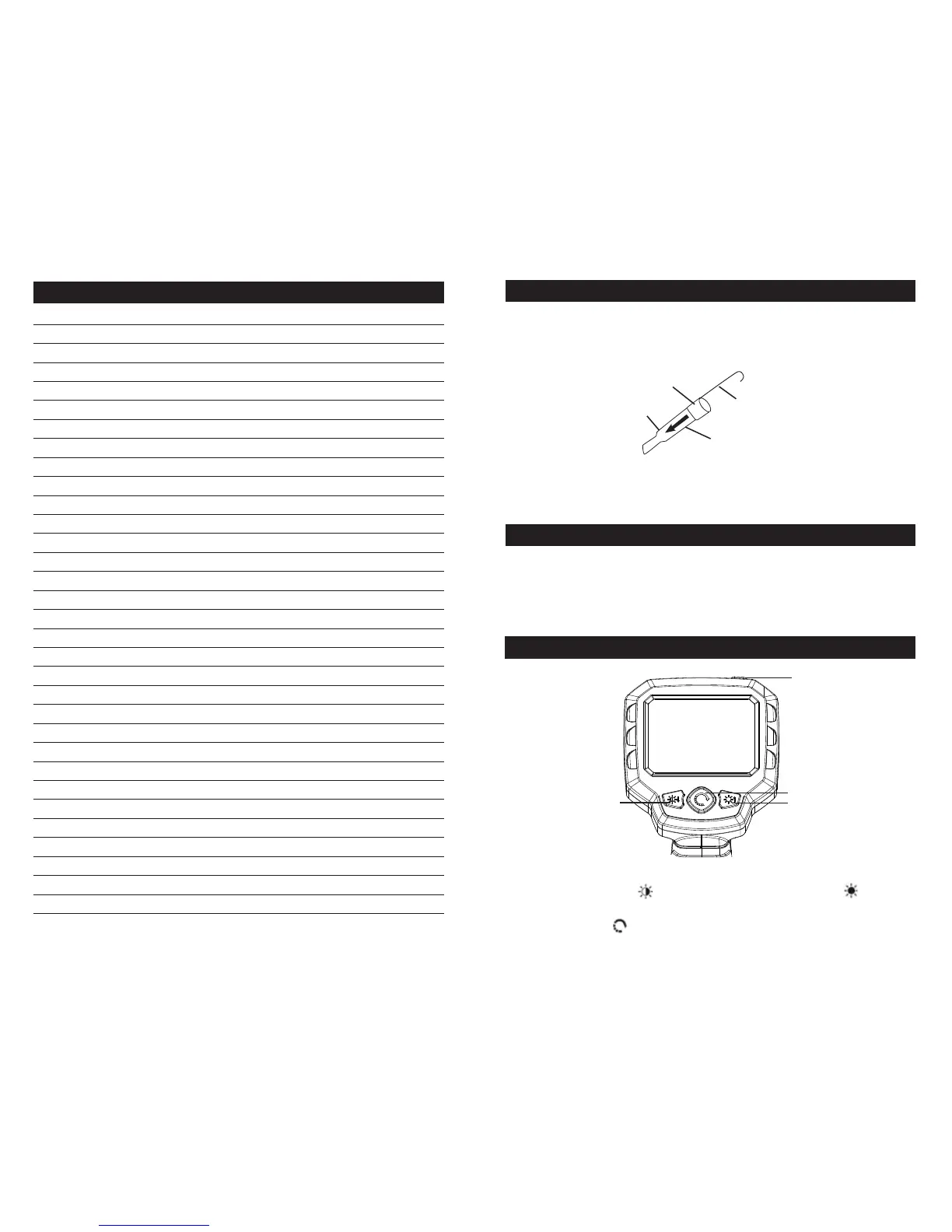
5. Attaching Accessories:
a. Hold the accessory against the Imager Head, placing the Hook in the hole.
b. Match the slot on the Sleeve to the accessory, then slide the Sleeve down the
Imager Head until it covers the Hook.
6. Connecting to External Monitor with RCA Cable:
a. Plug one end into the RCA Video Out. Port on Camera, then plug other end into
RCA Video In Port on monitor or TV.
1. Press and hold Power button to turn Camera on.
2. Adjusting Light: Press Left button to dim and turn off light. Press Right button to
turn on light and increase brightness.
3. Flip Image: Press the button to flip image horizontally and vertically.
1. BEFORE EACH USE, inspect the general condition of the tool. Check for:
a. condensation in Imager Head.
b. cracked or damaged Cable.
c. cracked or broken parts.
d. any other condition that may affect its safe operation.
Power
Brighten Light
Flip Image
Dim Light
Accessory
Imager Head
Sleeve
Hook
Page 7
TOOL SET UP
NOTES


 To Next Page