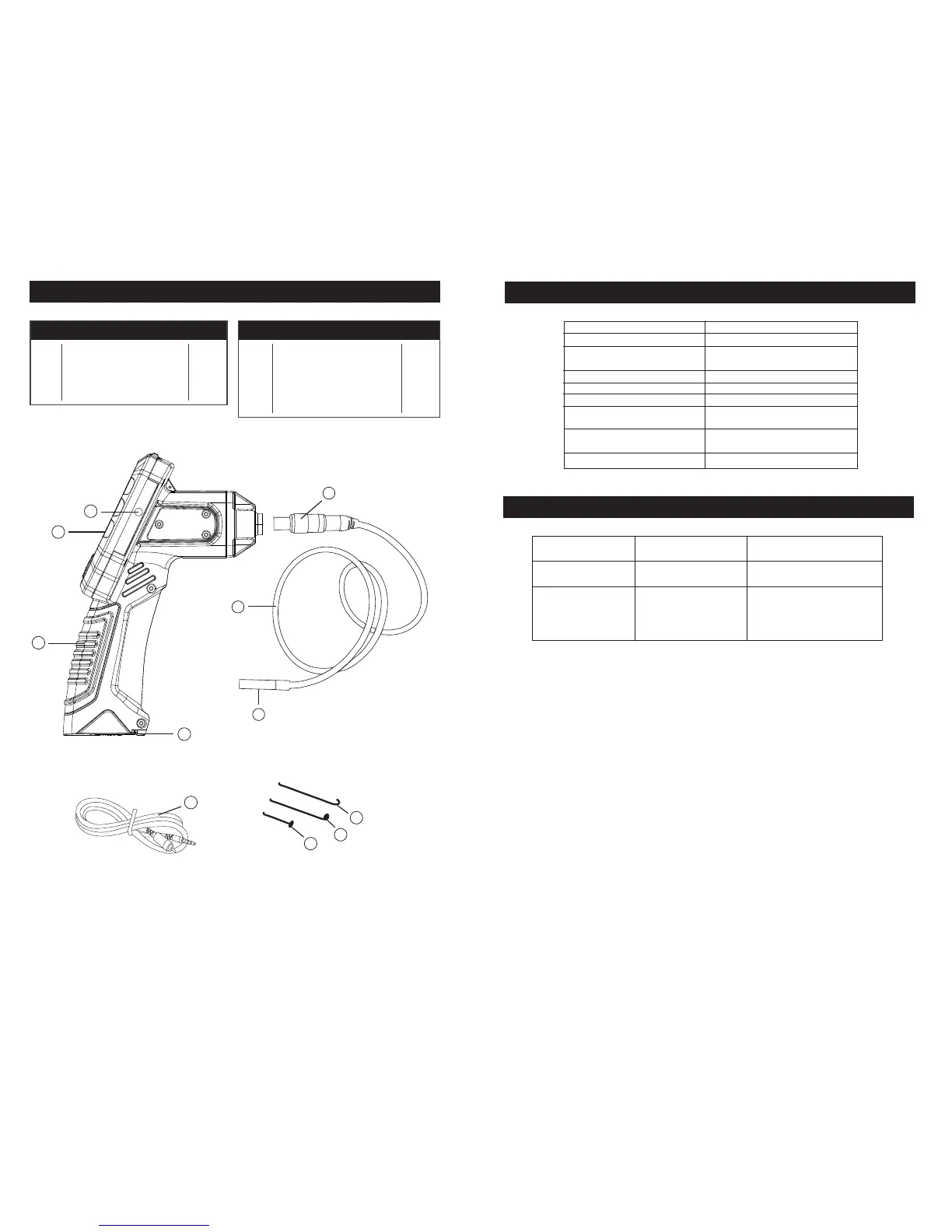
PARTS LIST
SPECIFICATIONS
TROUBLESHOOTING
Battery Type
Display Screen
Handheld Display Unit
Operating Temperature
Imager Head
Imager Head Lights
Image Sensor
Imager Head Ingress
Protection Rating
Imager Head and Cable
Operating Temperature
Video Output
4 x AA 1.5V Alkaline
2.4" TFT LCD (320 x 240)
0°C to 45°C
8.5mm (0.3")
4 x Adjustable LED
1/9" VGA CMOS
IP67 - Protected against the effect of
immersion between 15cm and 1 m
-10°C to 80°
RCA Cable
HANDHELD DISPLAY UNIT
RCA CABLE
HOOK
MAGNET
MIRROR
BATTERY COMPARTMENT
PROBLEM POSSIBLE CAUSES
LIKELY SOLUTIONS
Display is on, but does
not show image.
1. Light is dim at
maximum brightness.
2. Display turns itself off.
3. Camera will not turn on.
1. Cable connection loose.
2. Imager Head is dirty.
Low Batteries Replace Batteries
1. Check that cable is connected
2. Clean Imager Head.
1 pcs
1 pcs
1 pcs
1 pcs
1 pcs
1
2
3
4
5
1 pcs
1 pcs
1 pcs
1 pcs
1 pcs
1 pcs
6
7
8
9
10
11
PART # DESCRIPTION QTY
PART # DESCRIPTION QTY
CABLE KEY
CABLE
IMAGER HEAD WITH LIGHT
RCA VIDEO OUT PORT
DISPLAY SCREEN
5
8
9
10
2
3
Page 5 Page 6
4
6
7
1
11


 To Previous Page