EN
11
EN
10
USAGE OF WIFI VERSION
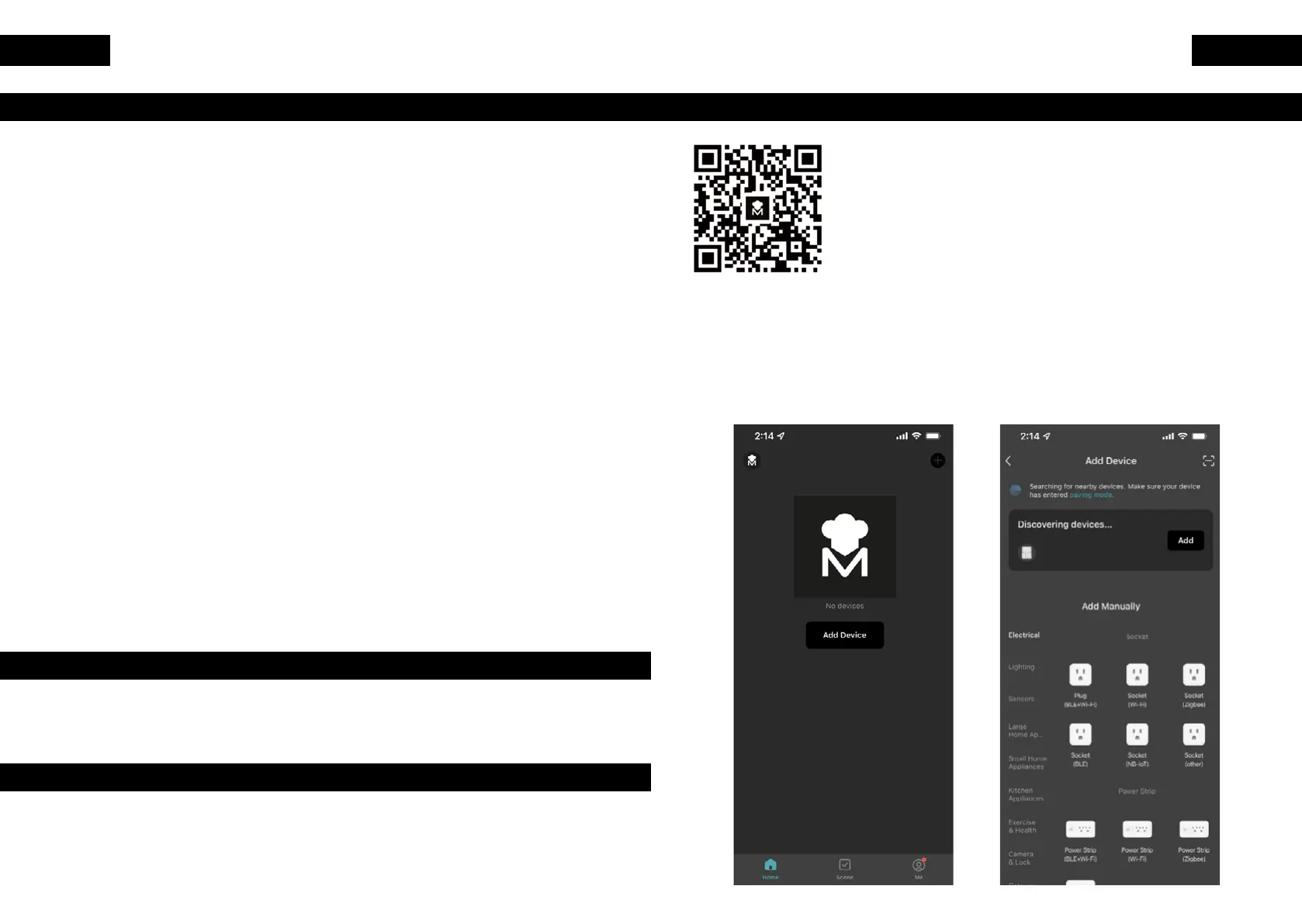
1. Scan app to download.
2. Add devices (manually and automatically).
Manual Add: click the central Add device button
or the plus icon in the upper right corner of the
device list page to enter the add device interface,
and nd the kitchen appliance: air fryer (WIFI
and Bluetooth of the phone should be turned on,
and the APP should be allowed to use WIFI and
Bluetooth).
CLEANING
Clean the appliance after every use.
Do not clean the basket and the inside of the appliance by metal
kitchen utensils or abrasive cleaning materials, as this may
damage the non-stick coating of them.
1. Remove the main plug from the wall socket and make the
appliance cool down.
2. Wipe the outside of the appliance with a moist cloth.
3. Clean the plate and basket with hot water, some washing-up liquid
and a non-abrasive sponge.
You can remove any remaining dirt by degreasing liquid detergent.
NOTE: the grill and basket are dishwasher-proof.
TIP: if dirt is stuck to the basket or the bottom of the grill, ll the plate
with hot water.
4. Clean the inside of the appliance with hot water and non-abrasive
sponge.
5. Clean the heating element with a cleaning brush to remove any
food residues.
STORAGE
1. Wait for the appliance to cool down completely, before unplugging.
2. Make sure all parts are clean and dry.
ENVIRONMENT
Do not throw away the appliance with the normal household waste
when it is exhausted, hand it in at ocial collection point for recycling
to contribute to the environment.



 To Next Page