Need help?
Do you have a question about the Masterpro ROCKET 360 and is the answer not in the manual?
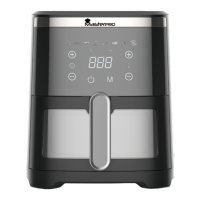
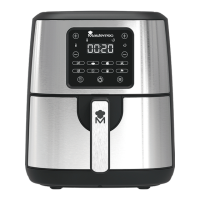
Identifies the main parts of the Air Fryer, including basket, handle, screen, and housing.
Refers to the cooking basket component of the air fryer.
Refers to the handle used for operating the air fryer's basket.
Identifies the digital display and control interface of the appliance.
Refers to the main body or exterior casing of the air fryer.
Lists critical warnings about immersing the unit, liquid entry, and touching hot components.
Provides essential safety guidelines for using the appliance, including cord care and placement.
Offers advice on placement, usage environment, and maintenance for safe operation.
Preset for cooking fries with specific time and temperature settings.
Preset for cooking ribs with specific time and temperature settings.
Preset for baking with specific time and temperature settings.
Preset for cooking wings with specific time and temperature settings.
Preset for cooking meat with specific time and temperature settings.
Preset for cooking fish with specific time and temperature settings.
Instructions for connecting the appliance to power and switching it on.
Details on activating the air fryer and checking the initial display.
Guidance on preheating the appliance and adjusting time/temperature.
Instructions for removing the cooking compartment and preparing it for ingredients.
How to place food in the basket and reinsert it into the air fryer.
Explains how to set time, temperature, and use mode buttons for cooking.
Advice on shaking food during cooking for better results.
What happens when cooking finishes and how to check readiness.
Recommended settings for different types of fries and potato gratin.
Recommended settings for various meat and poultry dishes.
Recommended settings for popular snacks like spring rolls and chicken nuggets.
Recommended settings for baking items like cake, quiche, and muffins.
Explains how ingredient size affects preparation time.
Details how ingredient quantity impacts cooking duration.
Advises shaking food during cooking for better results.
Suggests adding oil to fresh potatoes for a crispy texture.
Warns against preparing very greasy foods like sausages.
Notes that snacks can also be prepared in an oven.
Specifies the ideal amount of fries for crispy results.
Recommends using pre-made dough for quick snacks.
Instructions for baking or frying fragile/filled ingredients.
Guidance on using the air fryer to reheat food.
Advice on setting timer for shaking ingredients during cooking.
Instructions for wiping the main unit with a damp cloth.
Steps for washing the non-stick coated cooking basket.
Caution against using harsh detergents to avoid damage.
 General
| Type | Air Fryer |
|---|---|
| Power | 1500 Watts |
| Voltage | 220-240V |
| Frequency | 50/60Hz |
| Material | Plastic and Metal |
| Timer | 60 minutes |
| Safety Features | Overheat Protection, Auto Shut-Off |

 To Next Page