F5.1 Nominal discharge rate (C-rating). The discharge rate (in hours) at which the
battery manufacturer rates your battery’s capacity.
Default : 20h Range : 1 - 20h Step size : 1h
F5.2 Nominal temperature. The temperature at which the battery manufacturer rates
your battery’s capacity.
Default : 20°C Range : 0 - 40°C Step size : 1°C
F5.3 Temperature coefficient. This is the percentage that your battery’s capacity
changes with temperature. The unit of this value is percent capacity per degree
Celsius. The setting “OFF” disables temperature compensation.
Default :
0.50%cap/°C
Range :
OFF / 0.01 - 1.00
Step size : 0.01%cap/°C
F5.4 Peukert's exponent. The Peukert’s exponent represents the effect of reducing
battery capacity at higher discharge rates. When the Peukert value of your battery
is unknown, it is recommended to keep this value at 1.25. A value of 1.00 disables
the Peukert compensation and could be used for Lithium based batteries.
Default : 1.25 Range : 1.00 - 1.50 Step size : 0.01
F5.5 Self-discharge rate. This is the rate at which the battery loses capacity by itself,
even when it is not used. The unit of this value is percent capacity per month at
the Nominal temperature (F5.2). The setting “OFF” disables self-discharge
compensation and could be used for Lithium based batteries.
Default : 3.0%/month Range : OFF / 0.1 -
25.0%/month
Step size : 0.1%/month
F5.6 Charge Efficiency Factor (CEF). CEF is the ratio between the energy removed
from a battery during discharge and the energy used during charging to restore
the original capacity. It is recommended to keep keep this value at “AU” (automatic
calculation). The setting “100” disables charge efficiency compensation.
Default : AU Range : 50 - 100% / AU Step size : 1%
F6 : BATTERY MONITOR PROPERTIES
[3 sec] [3x] [1x]
F4.3 Auxiliary battery high voltage alarm On. When the Auxiliary battery voltage rises
above this value, the message “Hi” will appear on the display and the selected
alarm relay will be activated (depending on F4.5).
Default : 16.0V Range : 10.0 - 35.0V Step size : 0.1V
F4.4 Auxiliary battery high voltage alarm Delay. This is the time the Auxiliary battery
high voltage alarm On condition, F4.3, must be met before the alarm is activated.
Default : 5sec Range : 0 - 300sec Step size : variable
F4.5 Enable Auxiliary battery high voltage alarm / Use contact. Select “OFF” to disable
the Auxiliary battery high voltage alarm. Select “[1]” to use the battery monitor's
internal alarm relay.
Default : OFF Range : OFF / [1]
F5.0 Battery capacity. Your Main battery’s capacity in Amphours (Ah).
F5 : ‘MAIN’ BATTERY PROPERTIES
Default : 200Ah Range : 20 - 9990Ah Step size : variable
F6.0 Firmware version. Displays the firmware version of the battery monitor (read only).
Default : x.xx
F6.1 Shunt Amp Rating. This Function is linked to F6.2 and represents the Amp rating
of your shunt at the given voltage indicated by F6.2. Included with your battery
monitor is a 500Amp/50mV shunt, meaning that at 500A flowing through the
shunt, a voltage of 50mV is generated across the small ‘Kelvin’ screw terminals of
the shunt. This voltage will be used by the battery monitor to measure the amount
of current.
Default : 500A Range : 10 - 9000A Step size : variable
F6.2 Shunt milliVolt Rating. This Function represents the milliVolt rating of your shunt at
the given current indicated by F6.1. The battery monitor supports 50mV and 60mV
shunts.
Default : 50mV Range : 50 / 60mV
F6.3 Backlight mode. Represents the duration of backlight activation in seconds after
key-press. The backlight can also be set to be always “ON” or always “OFF”.
Function setting “AU”, activates the backlight automatically when charge /
discharge current exceeds 1Amp or when a key is pressed.
Default : 30sec Range : OFF / 5…300 / ON / AU Step size : variable
F6.4 Alarm contact polarity. Enables selection between a normally open (NO) or
normally closed (NC) contact.
Default : NO Range : NO / NC
F6.5 Voltage prescaler. This Function is only important when an optional voltage
prescaler is installed on the battery monitor. All voltage related Functions are
linked to this Function F6.5. Always keep this Function set to “1-1” when no
prescaler is installed!
Default : 1-1 Range : 1-1 / 1-5 / 1-10
F6.6 Temperature unit selection. Enables selection between degrees Celsius (°C) and
degrees Fahrenheit (°F) in the temperature readout.
Default : °C Range : °C / °F
F6.7 Auxiliary input mode. This Function is used to configure the VA input terminal on
the rearside of the battery monitor, and can be set in two modes. In mode “0”, the
VA input operates in normal voltage measurement mode. In mode “1”, the VA
input can be used to control the backlight. In this mode, the backlight is switched
ON at an input voltage higher than 2V and switched OFF again if the voltage is
below 1V.
Default : 0 Range : 0 / 1
F6.8 Communication mode. This Function is used to configure the data output mode.
Intended for servicing purposes only.
Default : 0 Range : 0 / 1 / 2 / 3
F6.9 Setup lock. When set to “ON”, all functions (except this one) are locked and
cannot be altered. The Reset menu is also locked.
Default : OFF Range : OFF / ON
In the Reset menu, you can reset a number of items of your battery monitor This menu
can be accessed by the following sequence :
6. Reset menu
When the Reset menu is entered, you can use the < and > keys to browse through the
different reset items. By pressing the MENU key, the selected reset item can be viewed.
The default value for all reset items is “OFF”. To actually reset the selected item, use the <
and > keys to change the value from “OFF” to “ON”. Pressing the MENU key again, will
step back to the Reset menu. All reset items set to “ON” will only be reset once the Normal
Operating Mode is accessed again by pressing the MENU key for 3 seconds. The
following Reset menu items are available :
rSt.a Reset alarms. Use this reset item to reset or ignore all current alarms.
rSt.b Reset Battery status. Use this reset item to reset your current battery status (CEF,
State-of-charge and battery history). You can use this reset item after you have
installed a fresh battery of the same specifications as the previous one.
rSt.F
Reset Functions. This reset item can be used to reset all Function values to
factory default values.
9. Technical specifications
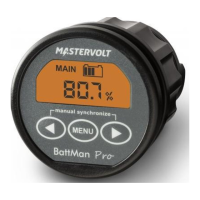
Parameter BattMan Pro
Supply voltage range
1)
Supply current : @Vin=24VDC
Input voltage range (auxiliary battery)
Input voltage range (main battery)
2)
Input current range
Battery capacity range
Operating temperature range
Readout resolution : voltage (0..35V)
current (0..200A)
current (200..9999A)
amphours (0..200Ah)
amphours (200..9990Ah)
state-of-charge (0..100%)
time-to-go (0..24hrs)
time-to-go (24..240hrs)
3)
temperature (-20..50°C)
@Vin=12VDC
Voltage measurement accuracy
Current measurement accuracy
Dimensions : frontpanel
body diameter
total depth
Weight
Shunt dimensions : footprint
height
weight
Protection class
Note: the given specifications are subject to change without notice.
1)
Measured with backlight and alarm relay turned off.
2)
Depends on selected shunt. With standard delivered 500A/50mV shunt (350A
continuous), the range is limited to -600..+600A.
3)
Only available when optional temperature sensor is connected.
9..35VDC
7mA
9mA
2..35VDC
0..35VDC
-9999..+9999A
20..9990Ah
-20..+50°C
± 0.01V
± 0.1A
± 1A
± 0.1Ah
± 1Ah
± 0.1%
± 1minute
± 1hr
± 0.5°C
± 0.3%
± 0.4%
ø 64mm
ø 52mm
79mm
95grams
45 x 87mm
17mm (base) / 35mm (M8 screws)
145 grams
IP20 (frontpanel only IP 65)
10. Declaration of conformity
MANUFACTURER : Mastervolt International BV
ADDRESS : Snijdersbergweg 93
1105 AN Amsterdam
The Netherlands
Declares that the following products :
PRODUCT TYPE : BATTERY MONITOR
MODEL : BattMan Pro
Conforms to the requirements of the following Directives of the European Union :
EMC Directive 2004/108/EC
RoHS Directive 2002/95/EC
The above product is in conformity with the following harmonized standards :
EN61000-6-3: 2001 EMC - Generic Emissions Standard
EN61000-6-2: 2005 EMC - Generic Immunity Standard
7. Troubleshooting guideline
The monitor doesn't operate (no display) - Check monitor- and battery side
connections.
- Make sure the inline fuses are installed
and not blown.
- Check battery voltage. Battery might be
flat. Vbatt must be >8VDC.
- Try to restart the monitor by removing /
placing the fuses again.
- Current sense leads from the shunt are
reversed. Check the installation guide.
Problem Remedy or suggestion
Current readout gives wrong polarity
(positive current instead of negative when
discharging)
The monitor resets all the time - Check the wiring for corrosion and / or
loose contacts.
- Battery might be flat or defective.
No changes can be made in the Function
setup
- Check if the setup-lock is OFF (Function
F6.9)
“CHARGE” or “SYNCHRONIZE” keeps on
flashing
- Charge battery full (synchronize your
battery with the monitor)
- Check the Auto-sync parameters in
Functions F1.0, F1.1 and F1.2 for possible
wrong settings.
State-of-charge and/or time-to-go readout
not accurate
- Check if all current is flowing through the
shunt (the negative terminal of the battery
may only contain the wire going to the
battery-side of the shunt!).
- Current sense leads from the shunt are
reversed.
- Check all Battery properties Functions (F5)
- Check if battery monitor is synchronized.
- Battery is exhausted and needs
replacement
Display returns '- - - -' in temperature
readout
- Set battery monitor temperature to ambient
temperature of the battery. See F 1.4
Battery voltage readout is highly inaccurate - Check prescaler setting in Function F6.5
Mastervolt warrants this product to be free from defects in workmanship or materials for 24
months from the date of purchase. During this period Mastervolt will repair the defective
product free of charge. Mastervolt is not responsible for any costs of the transport of this
product.
This warranty is void if the product has suffered any physical damage or alteration, either
1)
internally or externally, and does not cover damage arising from improper use or from use
in an unsuitable environment.
This warranty will not apply where the product has been misused, neglected, improperly
installed or repaired by anyone other than Mastervolt. Mastervolt is not responsible for any
loss, damage or costs arising from improper use, use in an unsuitable environment or
improper installing, setup and malfunctioning of the product.
Since Mastervolt cannot control the use and installation (according to local regulations) of
their products, the customer is always responsible for the actual use of these products.
Mastervolt products are not designed for use as cricital components in life support devices
or systems, that can potentially harm humans and/or the environment. The customer is
always responsible when implementing Mastervolt products in these kind of applications.
Mastervolt does not accept any responsibility for any violation of patents or other rights of
third parties, resulting from the use of the Mastervolt product. Mastervolt keeps the right to
change product specifications without previous notice.
1)
Examples of improper use are :
- too high input voltage applied
- wrong shunt connection
- applying battery voltage to shunt input
- mechanically stressed enclosure or internals due to harsh handling and/or incorrect
packaging
- contact with any liquids or oxidation caused by condensation
8. Warranty conditions
Mastervolt BattMan Pro Manual Rev6e / Printed in The Netherlands
rSt.c
Reset zero-offset current. Use this reset item to remove small current readings on
the display when no current is flowing in- or out of the battery. When performing
this reset action, please be 100% sure that all DC consumers/chargers are
disconnected or turned off.


 To Next Page
 Loading...