Installation
Installation for board
04
4. Installation
To prevent the hardware damage, please unplug the computer power cable before installing the card. To
prevent static damage to the card, please release of static electricity before touch the card.
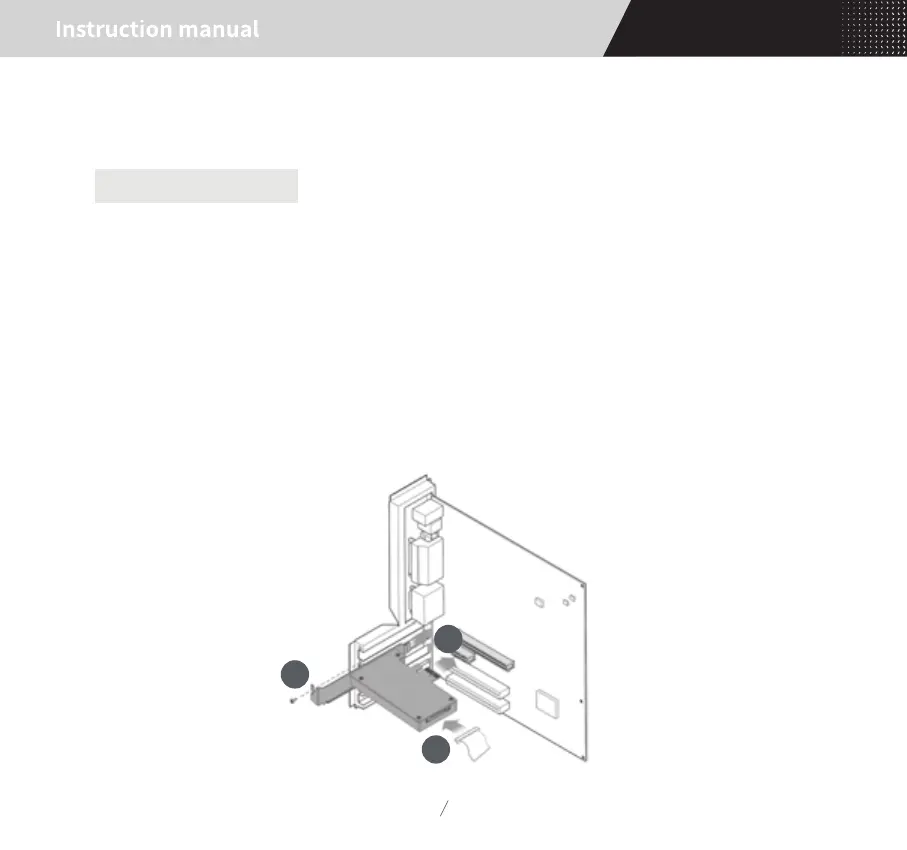
According to the specification of your own PC, you should use the attached dam-board with two
M3*6mm screws to fix it on the board enclosure.
Then choose the PCI-E x1 port on the main-board or PCI-E x4/x8/x16 port to install the board, while
fastening the screws and connecting SATA-15Pin power cable from PC power supply to the socket at the
rear-end of the board. (Not necessary for external power supply.) As shown below:
1
2
3


 To Next Page