40 41
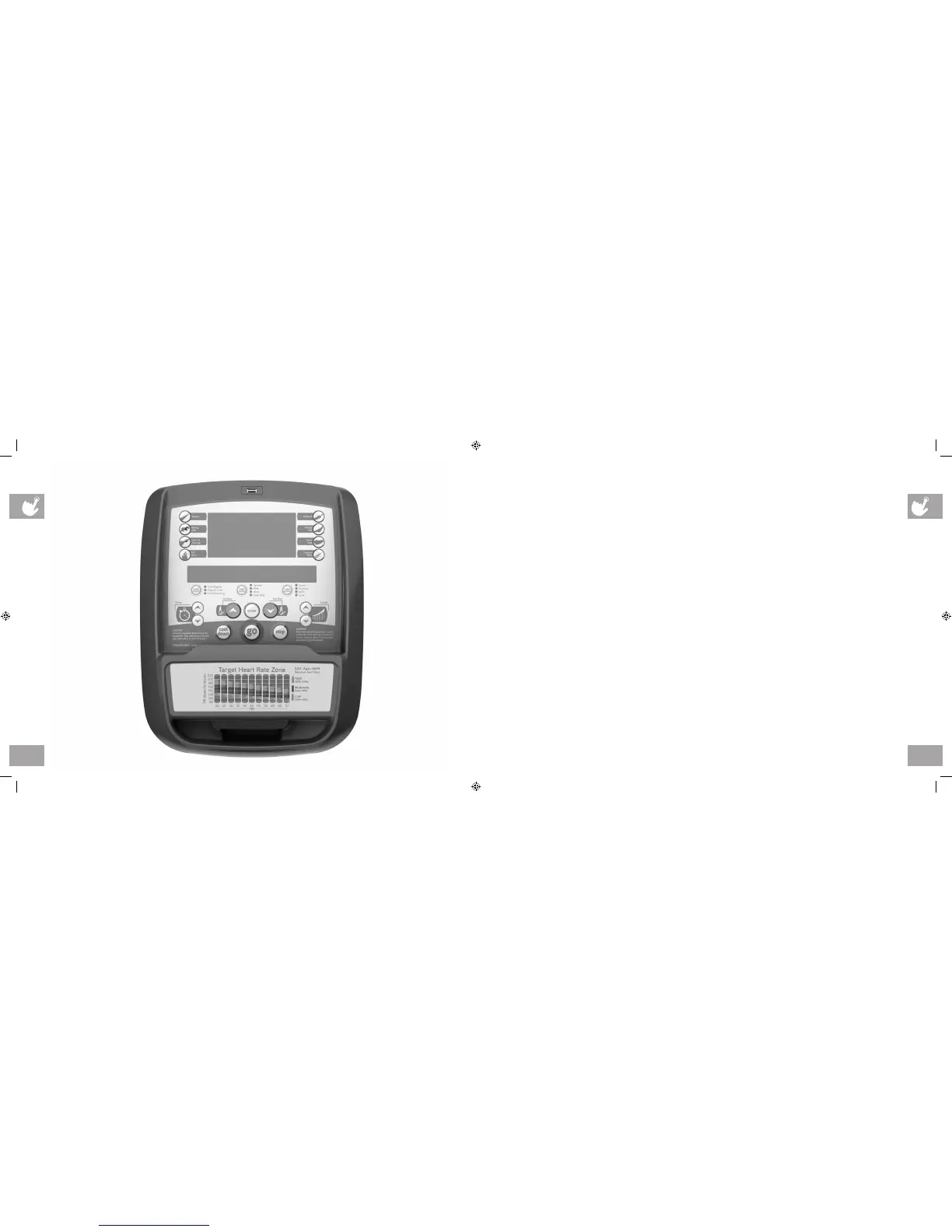
A3X / E3X CONSOLE DESCRIPTION
Note: There is a thin protective sheet of clear plastic on the overlay of the console that should be removed before use.
A) WORKOUT KEYS: Simple program view and selection buttons.
B) GO: One Touch Start.
C) ENTER: To confirm each program setting.
D) UP/DOWN LEVEL: Use to adjust level selection.
E) UP/DOWN INCLINE (A3X): Use to adjust incline selection.
F) UP/DOWN TIME: Use to adjust workout time.
G) STOP: Ends workout and shows workout summary data.
H) COOL DOWN: Puts the console into Cool Down mode.
I) TOGGLE DISPLAY: Allows user to select what information is displayed on each of the three windows on the console. Press
and hold to enable/disable scrolling.
A3X CONSOLE SHOWN
ep_ascent_om_r2.2.indd 40-41 9/26/11 11:50 AM


 To Next Page