50 Matrox GXM – User Guide (Mac version)
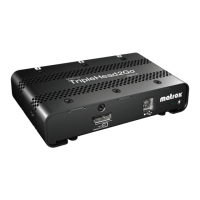
TripleHead2Go
TripleHead2Go
Digital Edition
TripleHead2Go
DP Edition
TripleHead2Go
Digital SE
Supported operating
systems
Mac OS X 10.5 and later
Supported
resolutions
*
* Your Matrox product ships with four default display modes. Additional display modes are available through Matrox PowerDesk
software. For more information, see “Edit Resolution List”, page 46.
3840 × 1024
†
@ 60 Hz
3072 × 768 @ 60 Hz
2400 × 600 @ 60 Hz
1920 × 480 @ 60 Hz
† Available only with graphics hardware that supports HD-15 or dual-link DVI connections.
4080 × 768 @ 60 Hz
3840 × 1024 @ 60 Hz
3072 × 768 @ 60 Hz
2400 × 600 @ 60 Hz
4080 × 768 @ 60 Hz
3840 × 1024 @ 60 Hz
3072 × 768 @ 60 Hz
2400 × 600 @ 60 Hz
Input connectors 1× DVI-DL or 1× HD-15 1× DisplayPort 1× DisplayPort
Output connectors 3× DVI-I 3× DisplayPort 3× DVI-D
Analog (VGA)
monitor support
9
‡
‡ Requires adapter (sold separately). To purchase an adapter for your Matrox product, see the Matrox online store
(shopmatrox.com
).
——
Digital (DVI) monitor
support
9
9
‡
9
DisplayPort monitor
support
—
9
—
Clone mode support —
99
HDCP compliant ——
9
Power supply USB USB and DisplayPort USB
Dimensions
4.4" × 5.5" × 1.1"
(11.3 cm × 14 cm × 2.8 cm)
3.5" × 3.54" × 1.1"
(8.9 cm × 9 cm × 2.8 cm)
5.25"
×
2.5"
×
1.1"
(13.34 cm × 6.35 cm × 2.8 cm)


 To Next Page