12 Matrox M-Series – User Guide
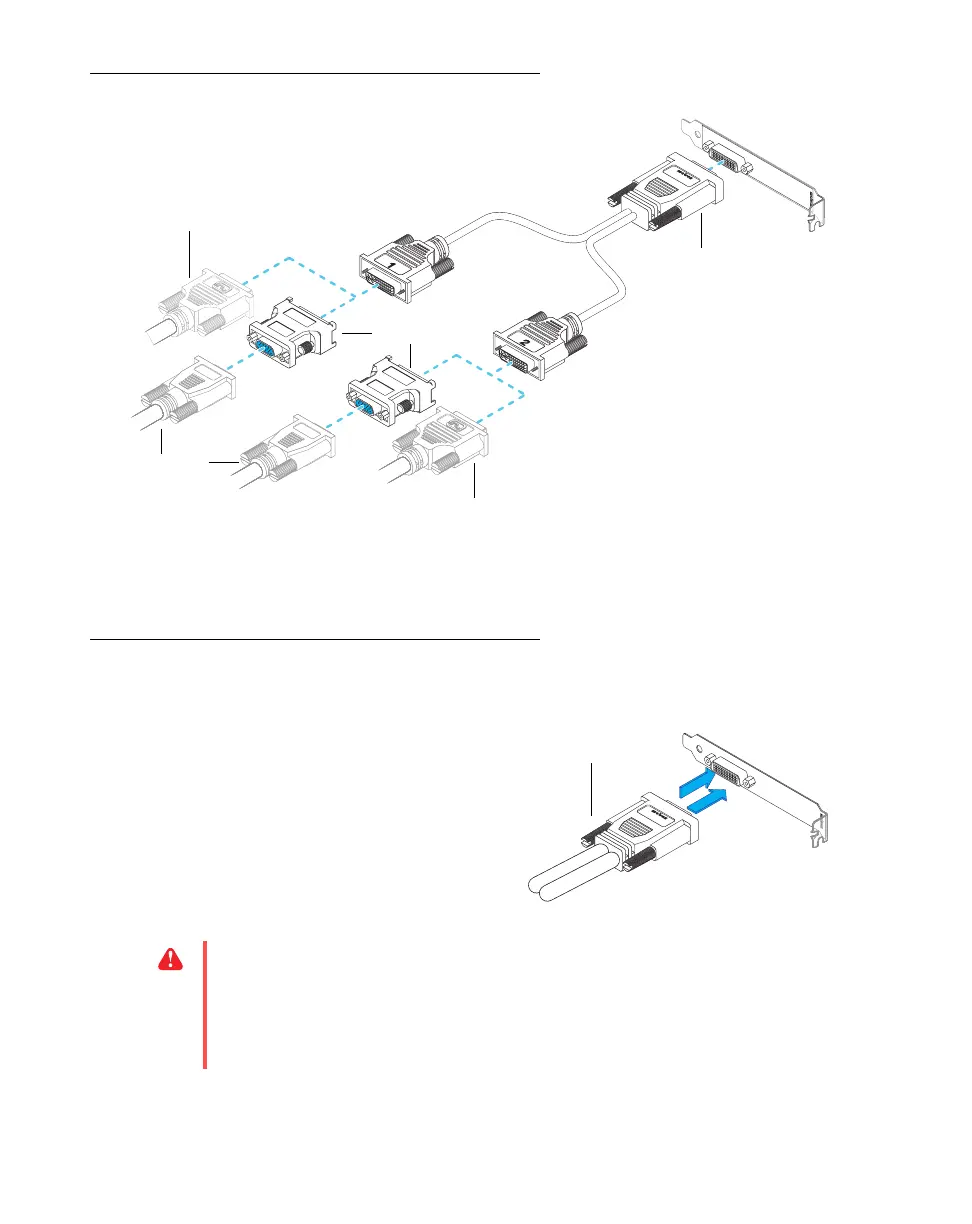
Connection overview – DualHead
Step-by-step connection setup – DualHead
1 Attach the dual-monitor cable
Attach your dual-monitor cable to the
connector on the bracket of your Matrox card.
Make sure the connectors are properly
fastened.
Monitor connector (DVI)
Monitor connector (DVI)
Monitor connector
(HD-15)
DVI-to-HD15
adapter
Dual-monitor cable
WA R N I NG :
To avoid damaging the LFH-60 connector on your dual-monitor cable or on
your graphics card, carefully insert the connector on your dual-monitor cable as straight
as possible into the connector on your graphics card. Specifically, inserting the connectors
into each other at an angle is likely to bend and damage the pins on the connector of the
dual-monitor cable.











 To Next Page