8
Chapter 2, Connecting External Devices to Matrox MicroQuad
Connecting input and output devices
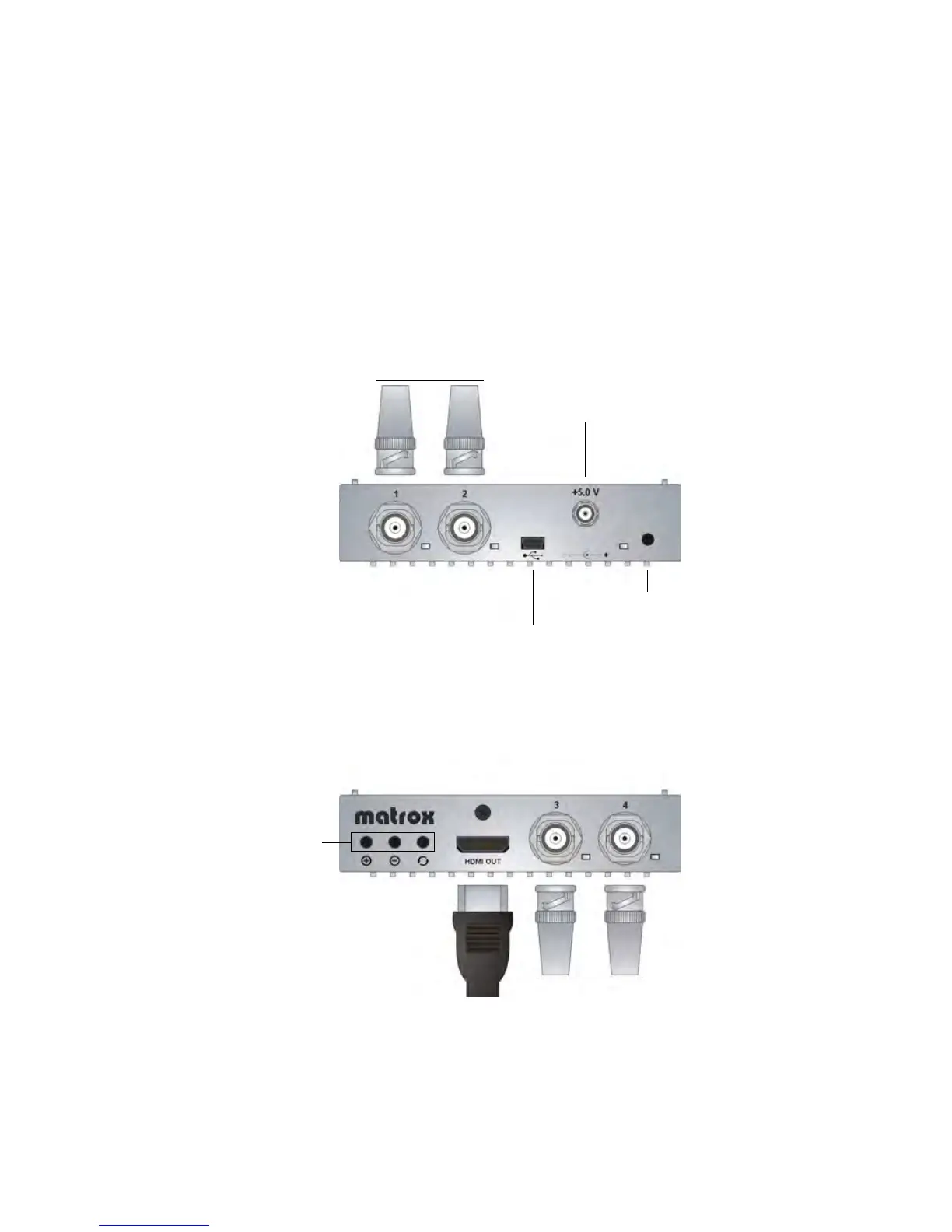
The Matrox MicroQuad unit supports four SDI input sources via four BNC input
connectors and one HDMI output device via an HDMI output connector. For a
list of the supported input and output formats, see “Supported SDI input and
HDMI output formats” on page 21.
¡ Important If you are connecting more than one input source to Matrox
MicroQuad, the input sources must have the same video format.
Matrox MicroQuad connections and buttons
²Caution Using a low-quality HDMI cable can damage the HDMI connector on
the Matrox MicroQuad unit.
To SDI input
sources
To SDI input
sources
To HDMI
output device
Matrox MicroQuad
buttons (see “Using
the Matrox
MicroQuad buttons”
on page 14)
Power
(see “Powering Matrox
MicroQuad” on page 6)
Mini USB Type B port
(see “Using the Matrox
MicroQuad Remote Control
Panel” on page 17)
Infrared sensor (not used)
Matrox
MicroQuad
Matrox
MicroQuad



 To Next Page