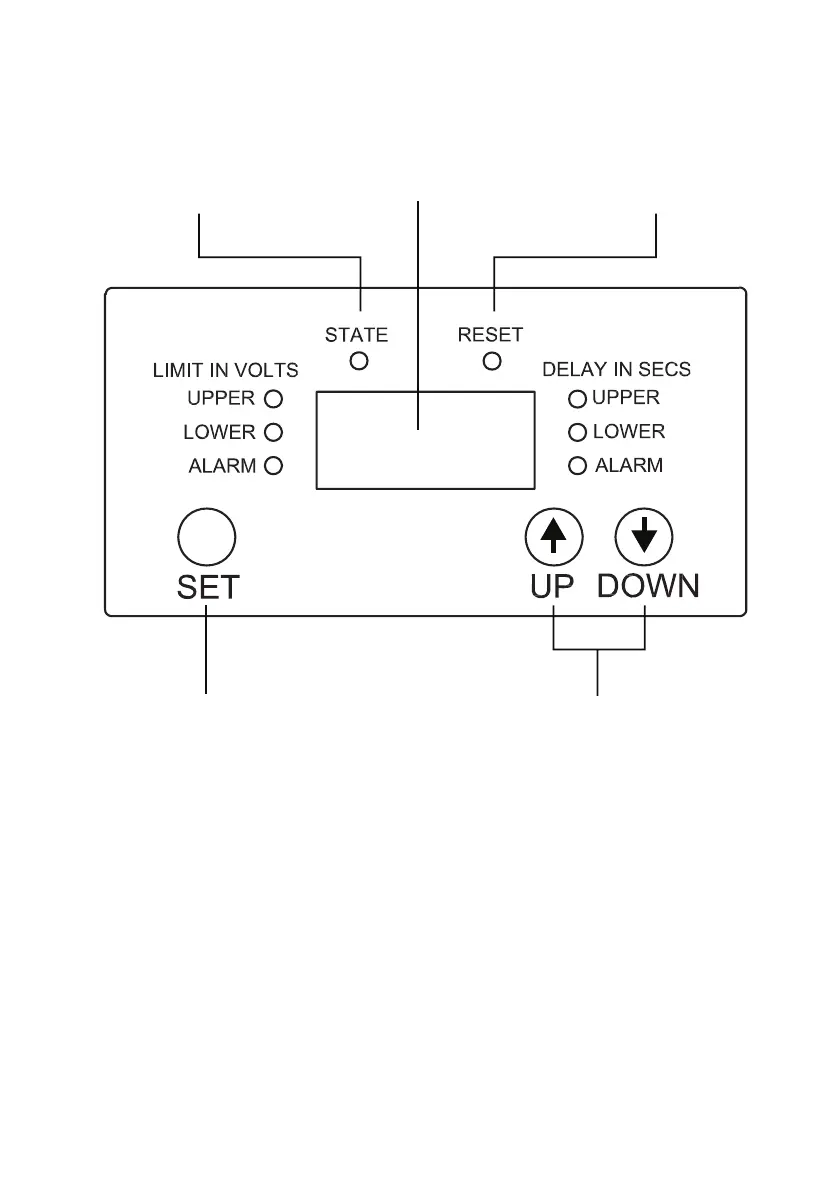
CONTROL PANEL
To adjust the settings, observe the following
procedure:
NOTE; the buttons need to be pressed rmly in the centre or they will not
register. This is to avoid accidental changes to programming by bumping
the buttons.
Press the “SET” button once, the screen will show “OFF”
Press the “SET” button a second time. The screen will show the current
setting, relating to whichever LED is illuminated around the screen. The
rst to come up will be the UPPER LIMIT IN VOLTS. If this setting does
STATE
SET SELECTED
CONTROL ACTIONS
RESET
PUSH BUTTONS TO
SELECT CONTROL
ACTIONS
LCD DISPLAY


 To Next Page