2: Mainboard Installation
13
Install the Mainboard
Install the mainboard in a system chassis (case). The board is a
Micro ATX size mainboard with a twin-tier of I/O ports. You can
install this mainboard in any ATX case. Ensure that your case has
an I/O cover plate that matches the ports on this mainboard.
Install the mainboard in a case. Follow the instructions provided by
the case manufacturer using the hardware and internal mounting
points on the chassis.
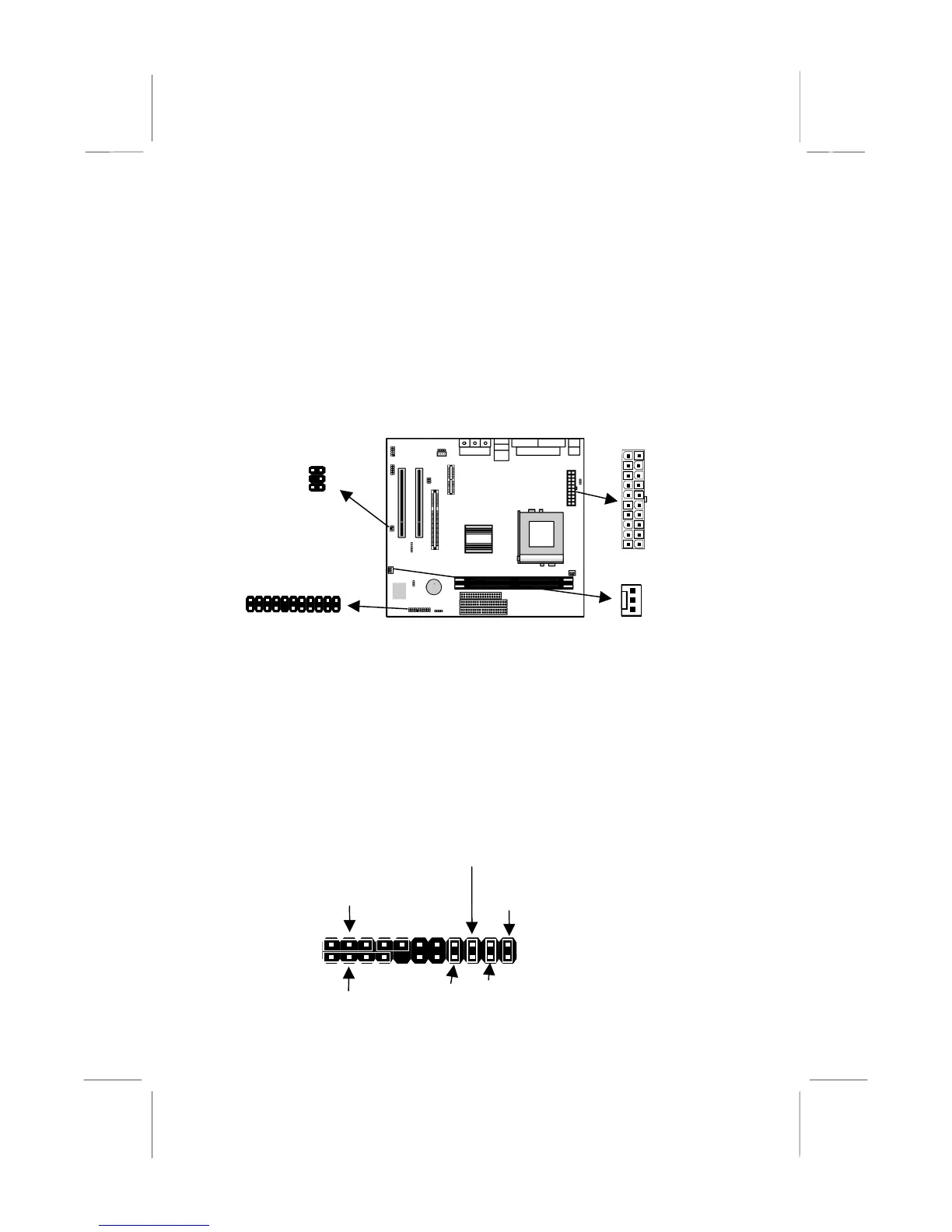
Connect the power connector from the power supply to the ATX1
connector on the mainboard.
If there is a cooling fan installed in the system chassis, connect the
cable from the cooling fan to the CHSFAN fan power connector
on the mainboard.
If there are a headphone jack or/and a microphone jack on the front
panel, connect the cables to the AUDIO1 header on the mainboard.
Connect the case switches and indicator LEDs to the J4 header.
See the illustrations below for the guide to the J4 headers pin
assignments.
AUDIO1
CHSFAN
ATX1
22
21
Power LED
Pins 2-4-6
Speaker
Pins 1-3-5-7
HDD LED
Pins 15-16
2
1
Reset Switch
Pins 17-18
Power Button/Suspend
Switch Pins 21-22
J4
ACPI LED
Pins 19-20













 To Next Page