UK-3
SWITCHING YOUR RADIO ON FOR THE FIRST TIME SWITCHING YOUR RADIO ON FOR THE FIRST TIME
LISTENING TO YOUR RADIOLISTENING TO YOUR RADIO
When the radio is connected to the power for the first time, the display backlight will be on for
a few seconds, the display will first show a
greeting and then the clock. Press the STANDBY
button once to turn the radio on, DAB will be
automatically selected and perform a auto
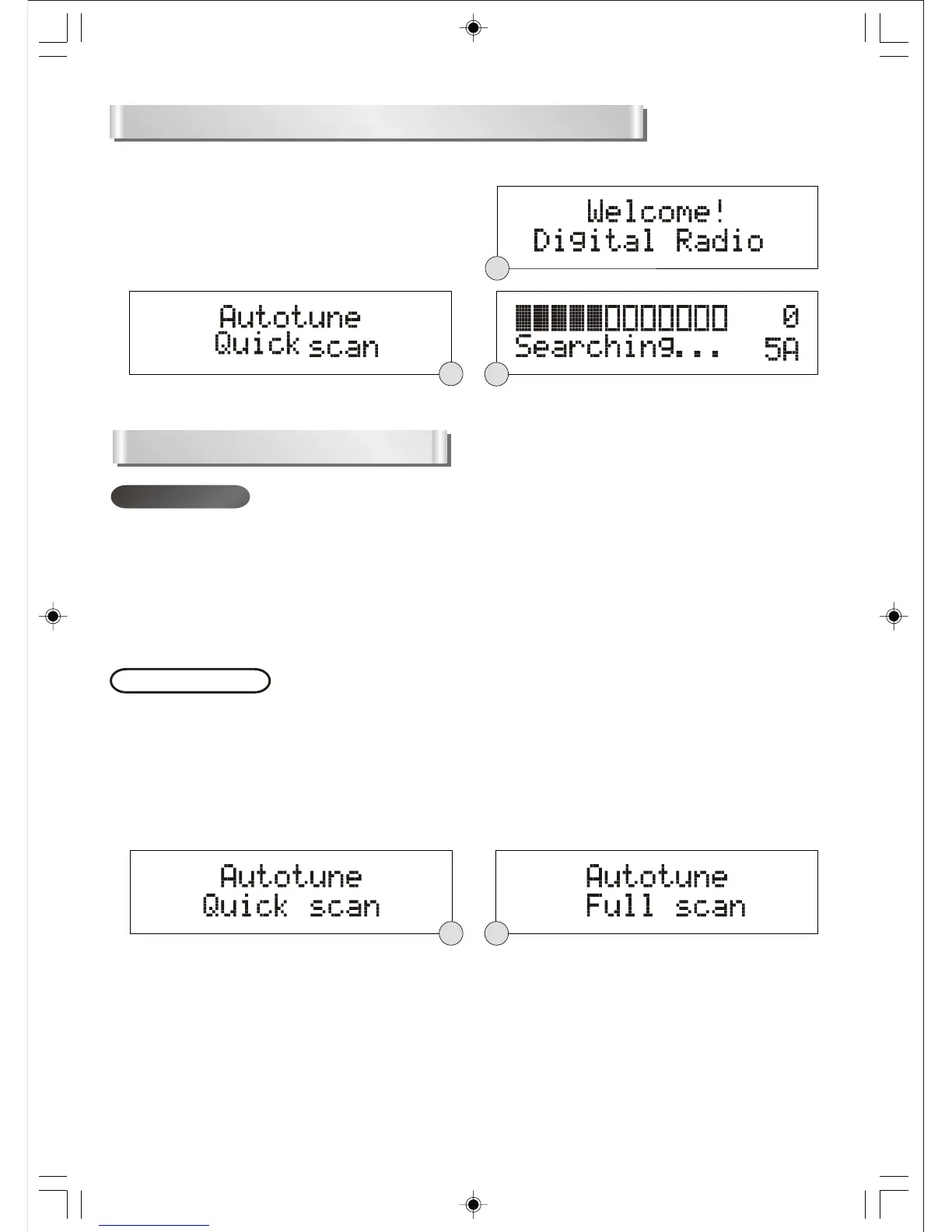
tune quick scan function.(F1)(F2)(F3)
F3
F2
F1
DAB MODE
If the radio is connected to the power and then switched on from standby for the first time, the
radio will automatically enter into the DAB auto tune full scan mode. During this mode, the
display will show a slide bar to indicate the progress of the scan.
Unlike normal radio, the separate signals from a number of stations are grouped together and
transmitted in a single frequency; these groups are referred to as multiplexes and ensembles.
Every time one of these groups has been found, the name of that group will be displayed on
the bottom half of the display.
Autotune modes
There are two types of auto tune modes, one is quick scan and the other is full scan. Quick scan will
only search for the UK DAB Band III channels and full scan will search all DAB Band III channels. Once
the scan has finished, the radio will select the first alphanumerically found station.
1. To activate the quick scan, press the AUTOTUNE button once, the display will show “Autotune
Quick scan” and then a progressing slide bar and “Searching...”.(F4)
2. To activate full scan, press and hold the AUTOTUNE button until the display shows “Autotune Full
scan”.(F5)
3. To explore the stations that have been found, press the UP or DOWN button.
F4
F5


 To Next Page