UK-5
STORING AND RECALLING STORED STATIONSSTORING AND RECALLING STORED STATIONS
You can store up to 5 of your favourite stations to the preset; this will enable you to get access to your
favourite station at a touch of a single button.
1. To store a preset, first tune to your desired station,
then press and hold your preferred PRESET button
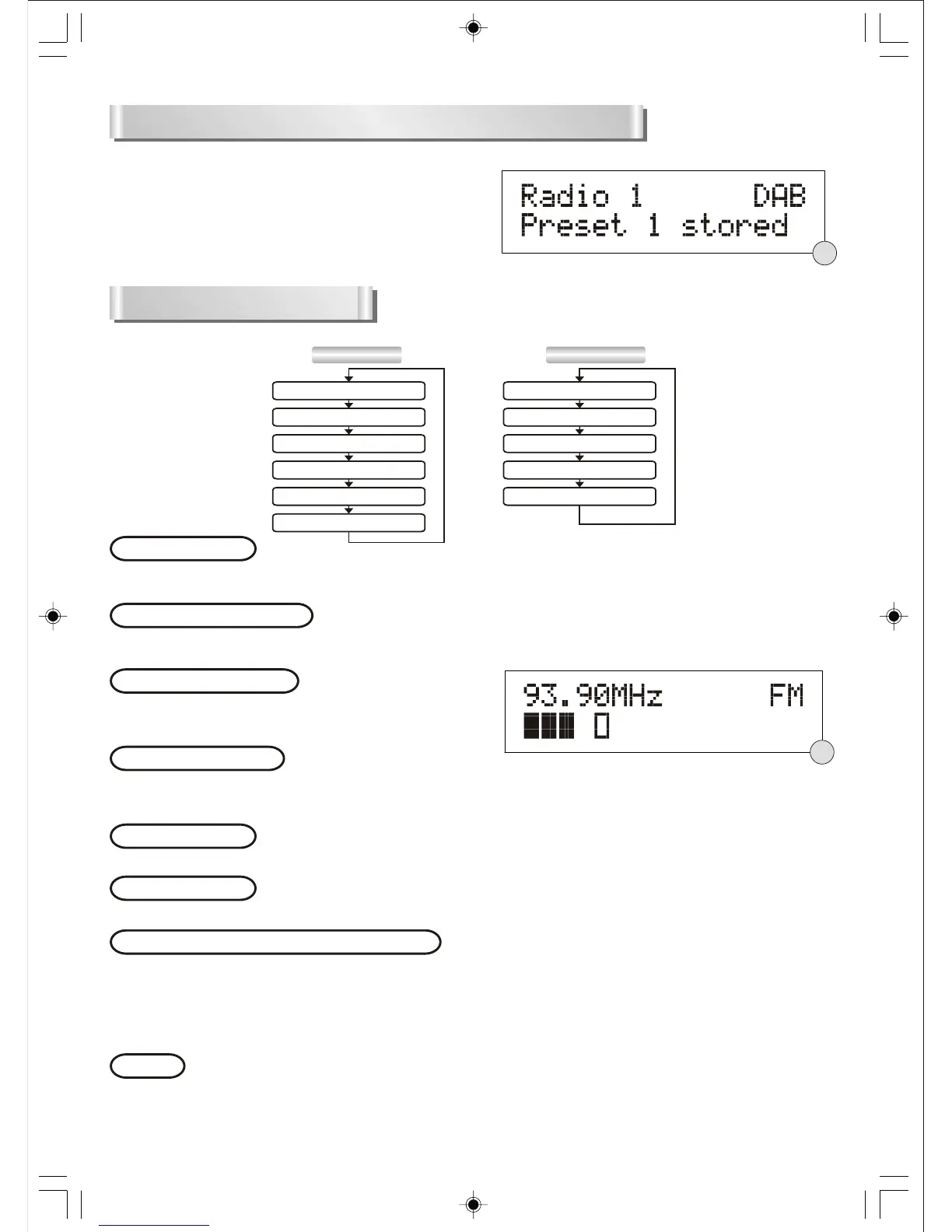
(1 - 5) until The display shows “Preset # stored”.(F12)
2. To recall a preset station, press the PRESET button.
(1 - 5)
3. If you press a preset that hasn’t been allocated a station, the display will show “Preset # empty”.
DISPLAY MODESDISPLAY MODES
Every time you press the INFO button, the display will cycle through the following display modes:
FM MODE DAB MODE
Radio Text
Programme Type
Signal strength
Time/Date
Frequency
Audio mode
Ensemble/Multiplex(Group name)
Signal strength
Time/Date
DLS
Programme Type
Radio text
The broadcaster can include scrolling text that displays information about the present programme. If the
information is not available, the display will show “<No RT>”.
This describes the style of the programme that is being broadcast. If the information is not available, the
display will show “<No PTY>”.
The display will show a slide bar to indicate the signal
strength, the stronger the signal, the longer the bar will be
from left to right.(F13)
The time and date will be automatically updated by the broadcasted information; it is no need to set the
clock manually. In the unlikely event that no clock information is received, the display will show
“<Time/Date>”.
The Ensemble/Multiplex is a collection of radio stations that are bundled and transmitted together in a
single frequency. There are national and local multiplexes, local ones contain stations that are specific to
that area.
On some occasions you will see a “>” symbol appeared after the name of the station, this indicates that
there are secondary services available to that station. These secondary services contain extra services that
relate to the primary station.
Programme type
Signal strength
Time and date
The frequency of the present station will be displayed.
Frequency
In FM mode, the display will show if the station being received is mono or stereo.
Audio mode
Ensemble/Multiplex(Group name)
DLS stands for Dynamic Label Segment which is a scrolling message that the broadcaster may include in
their transmissions. The message usually includes information such as programme details ...etc.
DLS
F12
F13


 To Next Page