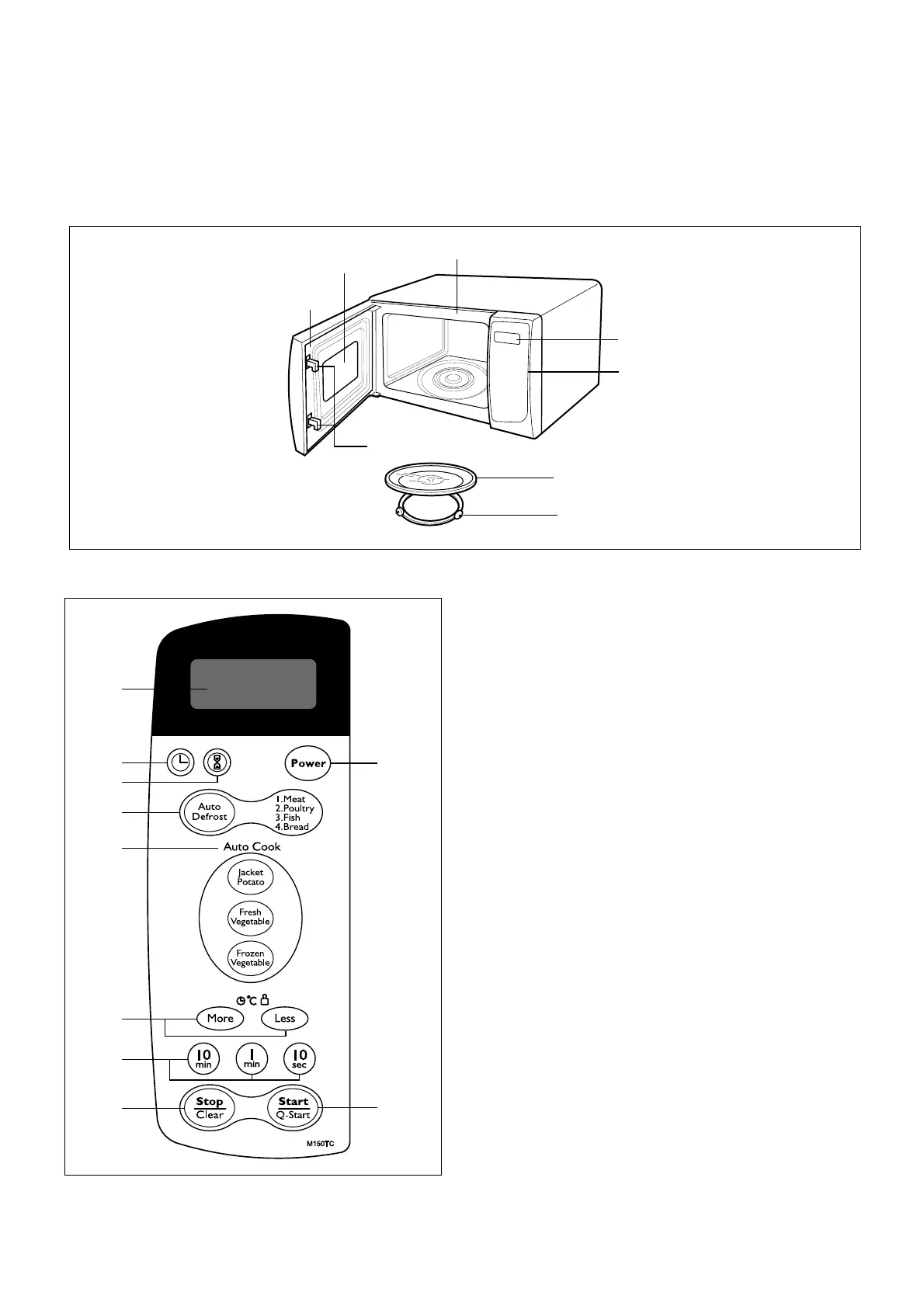
FEATURES
CONTROL PANEL
1. INDICATORS
2. SET CLOCK: Used to set the time of day.
3. KITCHEN TIMER
4. AUTO DEFROST: Used to select the desired auto
weight defrost programmed with weight pad.
5. AUTO COOK: Used to cook the foods listed by one
touch.
6. MORE/LESS: Used to change cooking time.
WEIGHT: Used to select the desired weight.
7. COOK TIME: Used to cook food for a desired time.
8. STOP/CLEAR: Used to stop oven and clear all entries
except time of day.
- CHILD LOCK
9. POWER: Used to select the desired power level
for cooking.
10. START: One tap allows oven to begin functioning.
4-1
OPERATING INSTRUCTIONS



 To Next Page