EasyManua.ls Logo

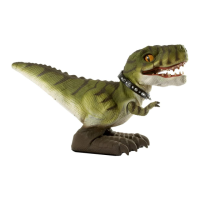
Mattel D-Rex - User Manual

Mattel D-Rex
8 pages
Print Icon
To Next Page IconTo Next Page
Loading...
KEEP YOUR DINO WORKING PROPERLY
• D-Rex
works best on a smooth, hard surface. If
using on a table, make sure D-Rex
does not fall off to
avoid damages.
• D-Rex
is not recommended for use on loose dirt or
wet surfaces.
• When D-Rex
does not respond, slows down, or
loses range, replace the batteries.
Do not immerse D-Rex
in water.
Operating multiple products with the same frequency
in close proximity will cause interference and poor
performance.
Works best away from high voltage power lines, large
buildings and walls.
Hold the Bone Controller up for best performance.
If Bone Controller is accidentally dropped in the
water, remove batteries and allow the controller to
air dry. Replace with fresh batteries before operation.
Play Safely! Do not play with D-Rex
in the street!
Mattel, Inc. 636 Girard Avenue, East Aurora, NY 14052, U.S.A. Consumer
Relations 1-800-524-8697. Retain this address for future reference. • Mattel
Canada Inc., Mississauga, Ontario L5R 3W2. You may call us free at
1-800-524-8697. • Mattel U.K. Ltd., Vanwall Business Park, Maidenhead SL6
4UB. Helpline 01628 500303. • Mattel East Asia Ltd., Room 1106, South Tower,
World Finance Centre, Harbour City, Tsimshatsui, HK, China. • Diimport &
Diedarkan Oleh: Mattel SEA Ptd Ltd. (993532-P) Lot 13.5, 13th Floor, Menara
Lien Hoe, Persiaran Tropicana Golf Country Resort, 47410 PJ. Tel: 03-78803817,
Fax: 03-78803867.
8+
INSTRUCTIONS
R
R9415-0920
Keep these instructions for future reference
as they contain important information.
Requires 5 ‘C’ alkaline batteries for D-Rex
and 2 ‘AAA’ alkaline batteries for Bone
Controller (not included).
service.mattel.com
© 2009 Mattel, Inc. All Rights Reserved.
116
Question and Answer IconNeed help?

Do you have a question about the Mattel D-Rex and is the answer not in the manual?

Summary

Dino Care and Maintenance

Battery Installation

D-Rex Dinosaur Battery Setup

Instructions for installing batteries in the D-Rex interactive dinosaur, including opening the cover and placing batteries.

Bone Controller Battery Setup

Instructions for installing batteries in the Bone Controller, including opening the cover and placing batteries.

D-Rex Operation and Features

Powering On;Off and Basic Interaction

Details on how to turn D-Rex™ on/off and interact through petting, including its responses.

Bone Controller Modes

ATTACK Mode

How to use D-Rex™ in ATTACK mode for charging and roaring, with instructions for continuous attack.

GUARD Mode

Instructions for D-Rex™ GUARD mode: scanning, protecting the room, and re-scanning.

SEEK Mode

How to use D-Rex™ SEEK mode to find and respond to calls, including its behavior when it cannot find you.

QUESTION Mode

How to use D-Rex™ QUESTION mode by asking questions and receiving 'YES' or 'NO' nods.

PRANK Mode

How to use D-Rex™ PRANK mode for humorous actions like burping, farting, or playing a snapping game.

Training, Programming, and Sleep

Advanced Training and Trick Programming

Guide to setting up, programming, and performing up to 30 tricks with D-Rex™.

Sleep Mode and Lying Down Behavior

Information on D-Rex™ entering sleep mode, waking it up, and its state when lying on its side.
Troubleshooting Common Issues

Battery Safety Precautions

Mattel D-Rex Specifications

General IconGeneral
BrandMattel
ModelD-Rex
CategoryToy
LanguageEnglish

Related product manuals