UNO ATTACK IN A NUTSHELL
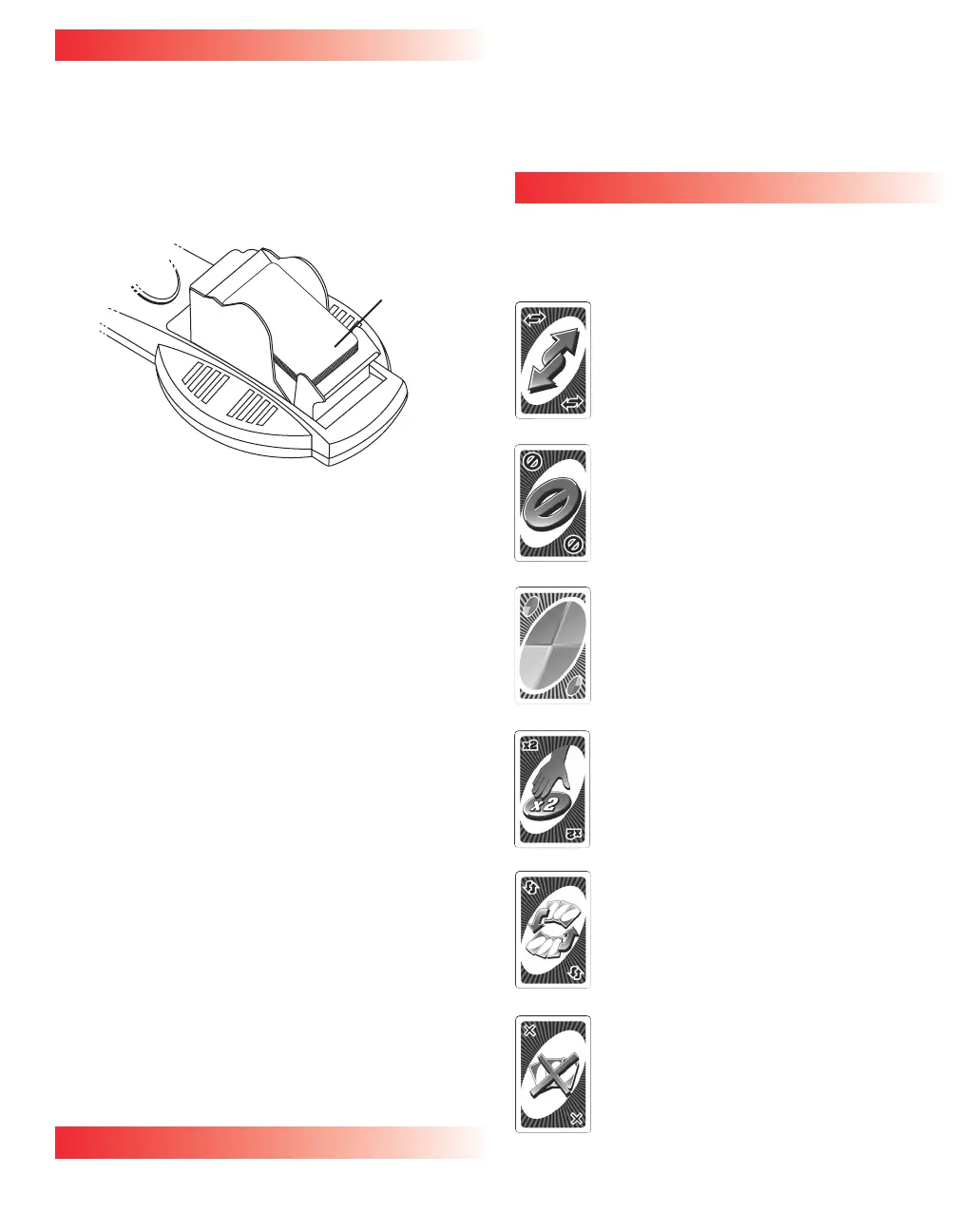
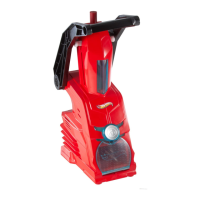
Each player is dealt 7 cards. Place one card from the deck
on top of the Launcher to begin a DISCARD pile. Open the
Launcher, insert the remaining cards facedown inside, then
close. (See Figure 4.)
IMPORTANT: During play, rotate the Launcher so it always
faces the player whose turn it is.
The first player has to match the card in the DISCARD pile
either by number, color or word. For example, if the card is a
red 7, you must throw down a red card or any color 7 onto
the DISCARD pile. Or, you can throw down a Special Card, if
appropriate (see Special Cards section). If you don’t have
anything that matches, you must hit the Launcher button. If
nothing happens, play moves to the next person. If cards
shoot out, you must add these cards to your hand. Then play
passes to the left (until a Reverse card is played – see
Special Cards section).
NOTE: If any cards are left sticking out of the
Launcher after activation, the player who caused the
Launcher to activate must take these cards and add
them to his/her hand.
When you have one card left, you must yell UNO (meaning
one) before playing your next to last card. Failure to do this
results in your having to hit the Launcher button TWICE.
(That is, of course, if you get caught by the other players.)
Once a player is out of cards, the hand is over. Points are
totaled (see Scoring section) and you start over again. That’s
UNO Attack! in a nutshell.
Replace batteries when Card Launcher slows down.
NOW FOR THE DETAILS
CHOOSING A DEALER
Every player picks a card. The person who picks the highest
number deals. If you picked a Special Card, too bad – they
don’t count. The dealer deals 7 cards to each player, starts
the Discard pile (see Starting the Discard Pile section), then
loads the Launcher. Player to the left of dealer starts play.
STARTING THE DISCARD PILE
If a word card is the first one turned up to form the DRAW
pile, this is what happens:
Reverse Card - The dealer plays first, but
play then goes to the right instead of left.
Skip Card - The player to left of the dealer
doesn’t start (is skipped). The player to left
of the skipped player starts.
Wild Card - The player to the left of the
dealer calls out a color, then plays.
Hit 2 - The player to the left of the dealer
must hit the Launcher button twice.
Then play begins with the next player
(the second player to the dealer’s left).
Trade Hands - It’s put back in the deck
and another one is chosen.
Discard All - The player to the left of the
dealer begins play with a card of the same
color, or another Discard All card. If that’s
not possible, he/she must hit the Launcher
button.
Figure 4
Lift Top up
to insert
cards here.





 To Next Page