9
Step 12:
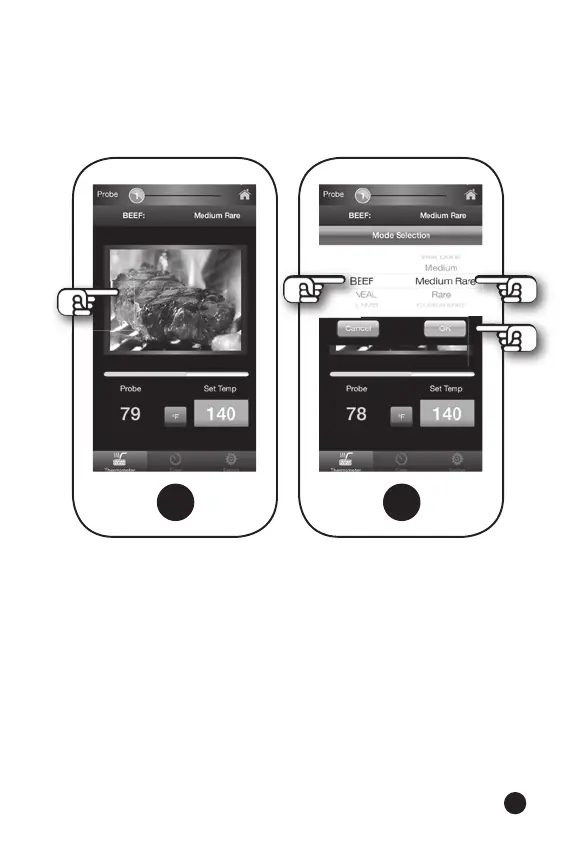
Now you are back on screen (B). Tap photo in center of your
screen to set Probe [1].
Step 13:
You are now on screen (E). Scroll through the meat or BBQ
options on the left side of your screen and make a selection.
(For directions on how to set the BBQ option, go to page 13 of
this manual.) Then scroll down the right side of the screen to
choose a preset temperature for desired doneness or select a
Customized doneness temperature. Tap OK.
(B) (E)


 To Next Page