P.05
How to Use
1. Charging
2. Operation
1. Connect to a computer or an adapter with the USB cable.
2. The signal light remains red when charging and turns green
when fully charged. Remove the product from the power
source.
3. The product does not function when charging (charging
while working will prompt the self-protection program and
halt motion).
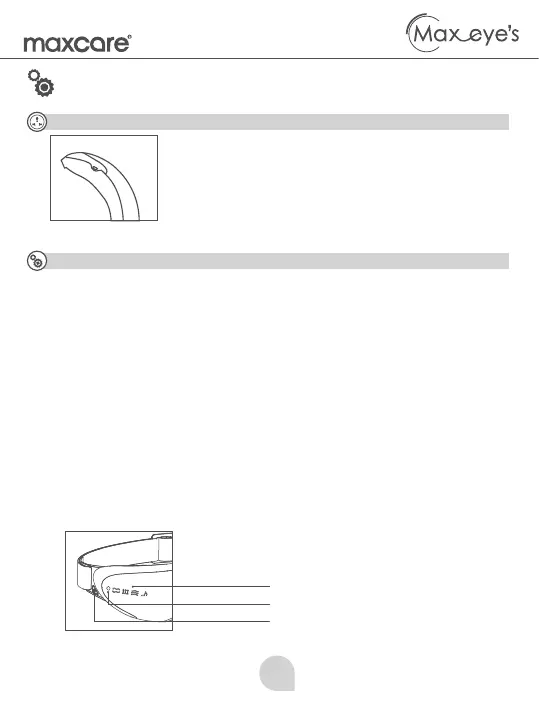
● Mode
● Signal Light
● Power Button
1. Press the power button. The product starts working after a “tik” sound.
2. Switching modes: press the power button the switch between different
modes. The selected mode will be displayed on the screen accordingly.
a. Mode I: Kneading +Heating +Vibration + Bluetooth
b. Mode II: Kneading +Heating + Bluetooth
c. Mode III: Kneading +Heating + Bluetooth
3. Press and hold the power button (as shown) to turn off the product.
● Bluetooth Connection
1. Connect to your mobile phone and play music via Bluetooth.
2. In the Bluetooth page on your phone, search for “BlueTooth ******”
(“*” represents a random Bluetooth code unique to each product)
1. Mode
2. Signal Light
3. Power Button


 To Next Page