EasyManua.ls Logo

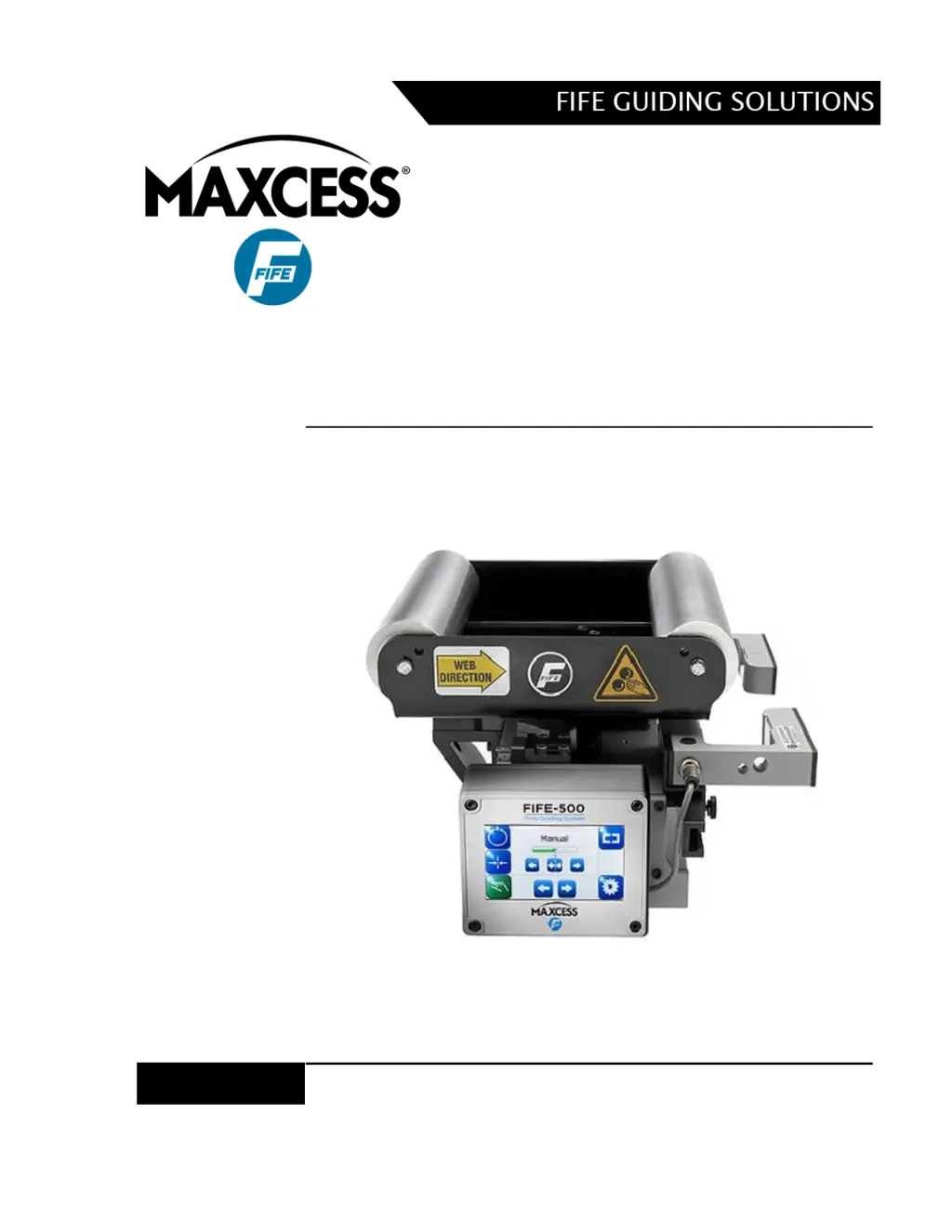
Maxcess FIFE-500-XL - User Manual

Maxcess FIFE-500-XL
80 pages
Print Icon
To Next Page IconTo Next Page
Loading...
FIFE-500-XL
User Manual
EN
Medium Web Guiding System
MI 2-267 1 D

Other manuals for Maxcess FIFE-500-XL

Questions and Answers

Summary

Introduction to the FIFE-500-XL Web Guiding System

Theory of Operation

Explains the fundamental principles and mechanisms of the FIFE-500-XL Web Guiding System.

Safety Instructions for the FIFE-500-XL

Instructions for Use and General Safety

Details proper usage, installation, and general safety information for the web guiding system.

Safety Symbols and Signal Words

Defines safety symbols and signal words used to indicate hazards and their severity.

Basic Safety Information

Covers proper use, installation, maintenance, and decommissioning safety guidelines.

Specific Operational Warnings

Addresses warnings related to remote control and operator interface usage during operation.

Display Definitions and Control Panel Features

Control Panel Layout and Orientation

Describes the FIFE-500-XL control panel layout in horizontal and vertical orientations.

Button Functions and Definitions

Explains the purpose and functionality of various buttons on the operator interface.

Status Bar Icon Definitions

Details the meaning of icons that appear in the status bar for system status.

Menu Trees Overview

Provides an overview of the menu structure for Manual, Servo-Center, and Automatic modes.

Security Strategy and Authorization Levels

Explains the security features and user authorization levels for the system.

Access Modes and Button Appearances

Describes how access modes affect menu item button appearance based on user level.

Keypad Operation and Data Entry

Details the keypad control used for numeric entry and data input.

Menu Descriptions and System Configuration

Security, Logout, and Login Procedures

Manages security settings, user logout, and login authentication.

Password Management and Timeout Settings

Configures user passwords, overall security, and automatic logout after inactivity.

Menu Access Protection Configuration

Controls access permissions for individual menus based on authorization levels.

Display Settings (Language, Brightness, Rotate)

Adjusts display language, LCD brightness, and screen rotation orientation.

Operator Interface (OI) Settings

Provides access to various operator interface settings like address and bargraph speed.

Service and About Information

Accesses maintenance screens and firmware version information.

Measure and Motor Current Monitoring

Displays system inputs, outputs, voltage, and motor current data.

Control Outputs Testing Functionality

Allows testing of individual output signals for verification.

Color Test for Signal Verification

Verifies display signal integrity using configurable color gradient screens.

Motor Type and Communication Statistics

Displays configured motor types and monitors network communication statistics.

Remote Control and Digital I;O Configuration

Enables/disables digital inputs and outputs for remote control.

Automatic Sensor Control (ASC) Configuration

Configures and enables Automatic Sensor Control (ASC) for sensor modes.

Gain and Autosetup Configuration

Sets system gain and polarity automatically or manually.

Servo-Center Gain and Sensor Calibration

Adjusts servo-center gain and calibrates sensors for optimal performance.

Guide Settings and Control Options

Configures gain, polarity, deadband, and enables operation/sensor modes.

Power On Mode, Backup, and Restore Operations

Controls system startup mode and manages settings backup and restore.

Hardlock Feature and Drive Naming

Modifies actuator reaction in manual mode and assigns names to drives.

Network Administration and Configuration

Manages network devices, addresses, and termination settings.

Line Speed Calibration and Control

Calibrates and configures the line speed input signal for guide correction.

MCP-05 Sensor Positioning Option

Enables and configures the optional MCP-05 sensor positioning system.

MCP-05 Operation and Seek Behavior

Details MCP-05 operation, manual controls, and automatic seek functionality.

Digital Input;Output Matrix

Digital Input Matrix Mapping

Details the mapping of system modes to digital input signals.

Digital Output Matrix Mapping

Details the mapping of system status to digital output signals.

System Notes and Considerations

Important Operational Notes

Provides key notes and operational considerations for the FIFE-500-XL system.

Troubleshooting Common Issues

Fault Diagnostics and Rectification Procedures

Lists common faults, probable causes, and remedies for guiding issues.

Service and Support Information

Return Shipment and Packaging Instructions

Provides instructions for safely packaging units for return shipment.

Service Requests and Replacement Parts Ordering

Details how to request service and order replacement parts.

Summary

Introduction to the FIFE-500-XL Web Guiding System

Theory of Operation

Explains the fundamental principles and mechanisms of the FIFE-500-XL Web Guiding System.

Safety Instructions for the FIFE-500-XL

Instructions for Use and General Safety

Details proper usage, installation, and general safety information for the web guiding system.

Safety Symbols and Signal Words

Defines safety symbols and signal words used to indicate hazards and their severity.

Basic Safety Information

Covers proper use, installation, maintenance, and decommissioning safety guidelines.

Specific Operational Warnings

Addresses warnings related to remote control and operator interface usage during operation.

Display Definitions and Control Panel Features

Control Panel Layout and Orientation

Describes the FIFE-500-XL control panel layout in horizontal and vertical orientations.

Button Functions and Definitions

Explains the purpose and functionality of various buttons on the operator interface.

Status Bar Icon Definitions

Details the meaning of icons that appear in the status bar for system status.

Menu Trees Overview

Provides an overview of the menu structure for Manual, Servo-Center, and Automatic modes.

Security Strategy and Authorization Levels

Explains the security features and user authorization levels for the system.

Access Modes and Button Appearances

Describes how access modes affect menu item button appearance based on user level.

Keypad Operation and Data Entry

Details the keypad control used for numeric entry and data input.

Menu Descriptions and System Configuration

Security, Logout, and Login Procedures

Manages security settings, user logout, and login authentication.

Password Management and Timeout Settings

Configures user passwords, overall security, and automatic logout after inactivity.

Menu Access Protection Configuration

Controls access permissions for individual menus based on authorization levels.

Display Settings (Language, Brightness, Rotate)

Adjusts display language, LCD brightness, and screen rotation orientation.

Operator Interface (OI) Settings

Provides access to various operator interface settings like address and bargraph speed.

Service and About Information

Accesses maintenance screens and firmware version information.

Measure and Motor Current Monitoring

Displays system inputs, outputs, voltage, and motor current data.

Control Outputs Testing Functionality

Allows testing of individual output signals for verification.

Color Test for Signal Verification

Verifies display signal integrity using configurable color gradient screens.

Motor Type and Communication Statistics

Displays configured motor types and monitors network communication statistics.

Remote Control and Digital I;O Configuration

Enables/disables digital inputs and outputs for remote control.

Automatic Sensor Control (ASC) Configuration

Configures and enables Automatic Sensor Control (ASC) for sensor modes.

Gain and Autosetup Configuration

Sets system gain and polarity automatically or manually.

Servo-Center Gain and Sensor Calibration

Adjusts servo-center gain and calibrates sensors for optimal performance.

Guide Settings and Control Options

Configures gain, polarity, deadband, and enables operation/sensor modes.

Power On Mode, Backup, and Restore Operations

Controls system startup mode and manages settings backup and restore.

Hardlock Feature and Drive Naming

Modifies actuator reaction in manual mode and assigns names to drives.

Network Administration and Configuration

Manages network devices, addresses, and termination settings.

Line Speed Calibration and Control

Calibrates and configures the line speed input signal for guide correction.

MCP-05 Sensor Positioning Option

Enables and configures the optional MCP-05 sensor positioning system.

MCP-05 Operation and Seek Behavior

Details MCP-05 operation, manual controls, and automatic seek functionality.

Digital Input;Output Matrix

Digital Input Matrix Mapping

Details the mapping of system modes to digital input signals.

Digital Output Matrix Mapping

Details the mapping of system status to digital output signals.

System Notes and Considerations

Important Operational Notes

Provides key notes and operational considerations for the FIFE-500-XL system.

Troubleshooting Common Issues

Fault Diagnostics and Rectification Procedures

Lists common faults, probable causes, and remedies for guiding issues.

Service and Support Information

Return Shipment and Packaging Instructions

Provides instructions for safely packaging units for return shipment.

Service Requests and Replacement Parts Ordering

Details how to request service and order replacement parts.

Maxcess FIFE-500-XL Specifications

General IconGeneral
BrandMaxcess
ModelFIFE-500-XL
CategoryCar Navigation system
LanguageEnglish

Related product manuals