EasyManua.ls Logo

Maxell MP-EU5002 - User Manual

Maxell MP-EU5002
108 pages
Print Icon
To Next Page IconTo Next Page
Loading...
1
QM00061-1
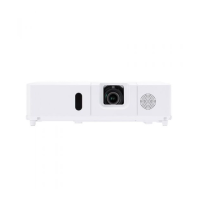
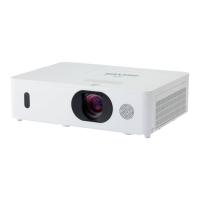
LCD Projector
MP-EU5002
User's Manual (detailed)
Operating Guide
Thank you for purchasing this projector.
Ź%HIRUHXVLQJWKLVSURGXFWSOHDVHUHDGDOOPDQXDOVIRUWKLV
SURGXFW%HVXUHWRUHDGSafety Guide¿UVW$IWHUUHDGLQJWKHPVWRUHWKHPLQD
VDIHSODFHIRUIXWXUHUHIHUHQFH
WARNING
NOTE
9DULRXVV\PEROVDUHXVHGLQWKLVPDQXDO7KHPHDQLQJVRIWKHVHV\PEROVDUH
GHVFULEHGEHORZ
$ERXWWKLVPDQXDO
WARNING
CAUTION
7KLVV\PEROLQGLFDWHVLQIRUPDWLRQWKDWLILJQRUHGFRXOGSRVVLEO\
UHVXOWLQSHUVRQDOLQMXU\RUHYHQGHDWKGXHWRLQFRUUHFWKDQGOLQJ
7KLVV\PEROLQGLFDWHVLQIRUPDWLRQWKDWLILJQRUHGFRXOGSRVVLEO\
UHVXOWLQSHUVRQDOLQMXU\RUSK\VLFDOGDPDJHGXHWRLQFRUUHFWKDQGOLQJ
3OHDVHUHIHUWRWKHSDJHVZULWWHQIROORZLQJWKLVV\PERO
NOTICE 7KLVHQWU\QRWLFHVRIIHDURIFDXVLQJWURXEOH
7KHLQIRUPDWLRQLQWKLVPDQXDOLVVXEMHFWWRFKDQJHZLWKRXWQRWLFH
7KHLOOXVWUDWLRQVLQWKLVPDQXDODUHIRULOOXVWUDWLYHSXUSRVHV7KH\PD\GLIIHU
VOLJKWO\IURP\RXUSURMHFWRU
7KHPDQXIDFWXUHUDVVXPHVQRUHVSRQVLELOLW\IRUDQ\HUURUVWKDWPD\DSSHDULQ
WKLVPDQXDO
7KHUHSURGXFWLRQWUDQVIHURUFRS\RIDOORUDQ\SDUWRIWKLVGRFXPHQWLVQRW
SHUPLWWHGZLWKRXWH[SUHVVZULWWHQFRQVHQW

Other manuals for Maxell MP-EU5002

Questions and Answers

  • M
    Michael ReedAug 7, 2025
    What to do if my Maxell Projector shows no input signal?
    • S
      Sara ReevesAug 7, 2025
      If your Maxell Projector displays 'no input signal,' please check the signal input connection and ensure that the signal source is active and properly connected.
  • M
    Megan JohnsonAug 11, 2025
    How to fix a Maxell MP-EU5002 Projector cooling fan that is not operating?
    • D
      Dustin SuttonAug 11, 2025
      If the cooling fan in your Maxell Projector is not working, turn off the power and allow the projector to cool down for at least 30 minutes. After cooling, check the fan for any obstructions. Once you've confirmed there's nothing blocking it, turn the power back on.
  • A
    Austin MurphyAug 14, 2025
    What to do if the horizontal or vertical frequency is not correct for Maxell MP-EU5002?
    • S
      Sandra JonesAug 15, 2025
      If the horizontal or vertical frequency of the input signal is not within the specified range on your Maxell Projector, check the specifications for both your projector and the signal source to ensure they are compatible.
  • T
    Tammy CarterAug 19, 2025
    What to do if Maxell MP-EU5002 Projector says improper signal is input?
    • S
      schultzgloriaAug 19, 2025
      If your Maxell Projector indicates an improper signal input, verify the specifications for both the projector and the signal source to ensure compatibility.
  • S
    Sara ClarkAug 23, 2025
    Why does the internal clock on my Maxell MP-EU5002 Projector keep resetting?
    • M
      michaellesterAug 23, 2025
      If the internal clock of your Maxell Projector has been reset, this can occur when the projector is turned off in SAVING/NETWORK(WOL) mode or when AC power is disconnected without a battery installed. Refer to the data for DAY/DATE/TIME setting in the SETUP-SCHEDULE menu to reset it.
  • A
    Antonio DuncanAug 28, 2025
    What to do if COMPUTER IN2/MONITOR OUT port is selected as the picture input source on Maxell Projector?
    • G
      George JohnstonAug 28, 2025
      If the COMPUTER IN2/MONITOR OUT port is selected as the picture input source on your Maxell Projector, select A/V or SYNC ON GO in the dialog to project the picture input to the COMPUTER IN2/MONITOR OUT port. In this case, you cannot use the MONITOR OUT function. Otherwise, select another port for picture input.
  • M
    myersjuanSep 1, 2025
    How do I change the COMMUNICATION TYPE on my Maxell MP-EU5002?
    • H
      hrogersSep 1, 2025
      To change the COMMUNICATION TYPE for the CONTROL port on your Maxell Projector, select O) for &20081,&$7,21 item in the 237,21 menu.

Maxell MP-EU5002 Specifications

General IconGeneral
BrandMaxell
ModelMP-EU5002
CategoryProjector
LanguageEnglish

Related product manuals