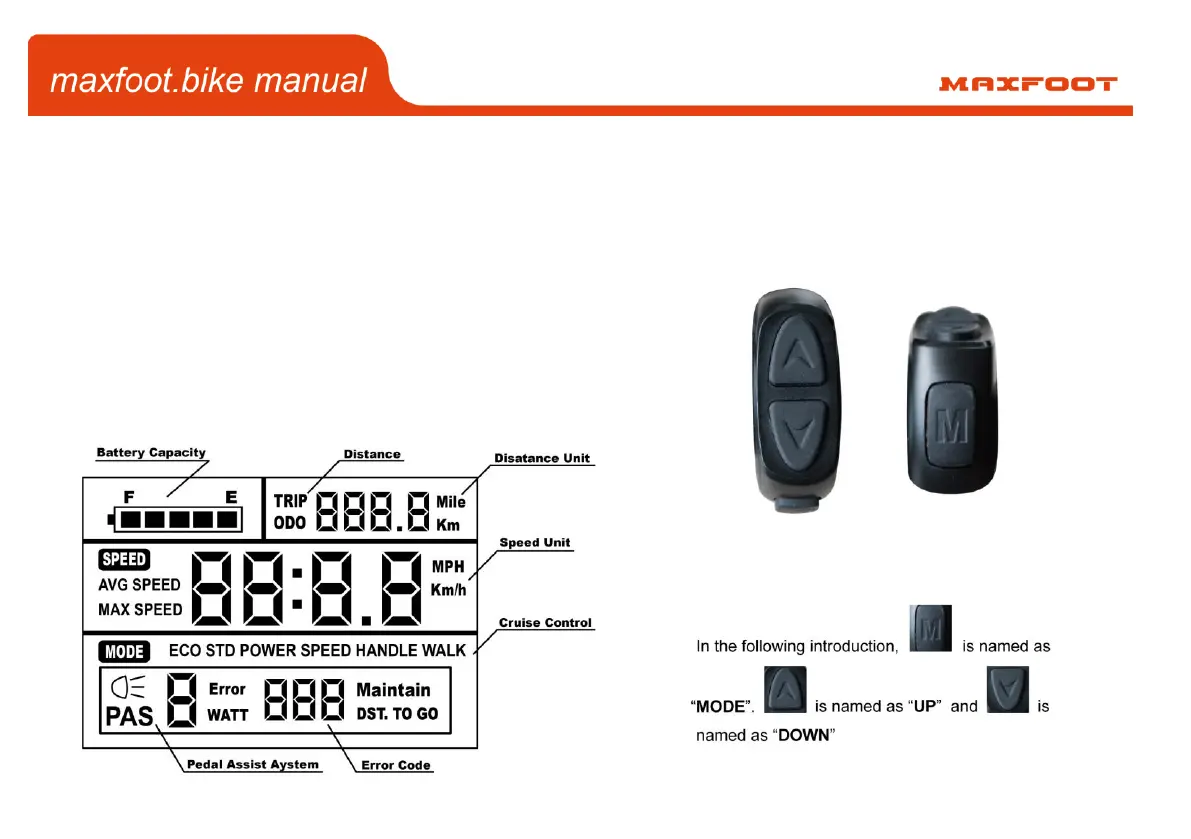
When not riding the bike, you can turn off the meter by holding down the power button (M button) for several seconds.
The LCD meter on your MaxFoot can be programmed to change various functions.
Hold “UP” & “Down” for 3 seconds to enter the setup interface. Single press “Mode” to cycle through the following
modes:
“SET 1” - Set the Wheel size.
“SET 2” - Set the Max speed.
“SET 3” - Set the Display light.
“SET 4” - Set the Bike in either MPH or KPH


 To Next Page