Maxi-Cosi
I
Air Purifier
I
9 8
I
Air Purifier
I
Maxi-Cosi
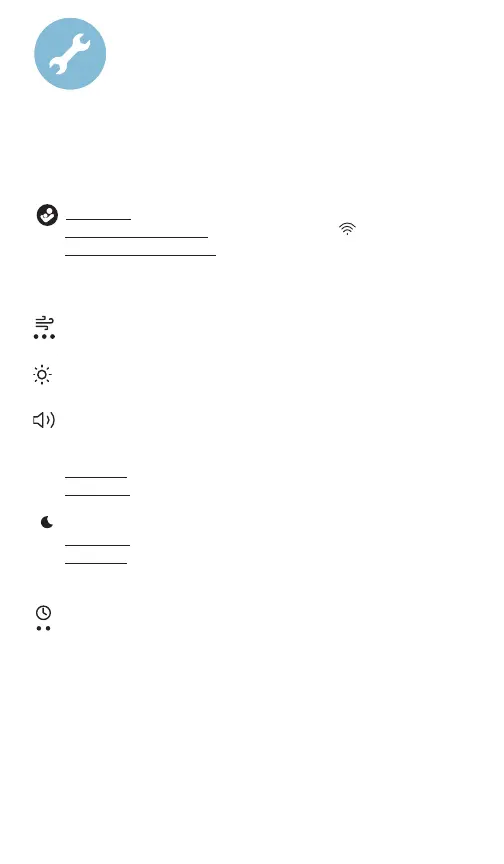
To Adjust Settings
You can adjust settings directly on the unit or by using the
Maxi-Cosi Connected Home app.
Short press the Power button to power on/o.
Long press for 5 seconds to enter pairing mode
.
Long press for 10 seconds restore to factory settings, makes
a sound, power icon blinks 3 times.
NOTE: Memory will recall your last settings when next powered on.
Press Fan Speed button to cycle through low, medium,
high and o.
Press Nightlight button to set brightness to low, medium,
high and o.
Press Soothing Sounds/White Noise button to turn it on.
Press again to cycle through volume volume level 1, 2, 3, 4, 5,
then o.
Long press to cycle through available sounds and to turn o
Short press to adjust the volume.
Sleep Mode keeps indicator lights o unless they are pressed.
Short press to enable/disable sleep mode.
Long press to enable/disable child lock. Any button pressed will
be locked when enabled.
Press Timer button to cycle through settings:
Naptime, Bedtime and o.
Left LED - Naptime timer (2 hours*)
Right LED - Bedtime timer (12 hours*)
Both LEDs - Custom timer (in-app only)
*Configurable in-app.



 To Next Page