4 5
EN EN
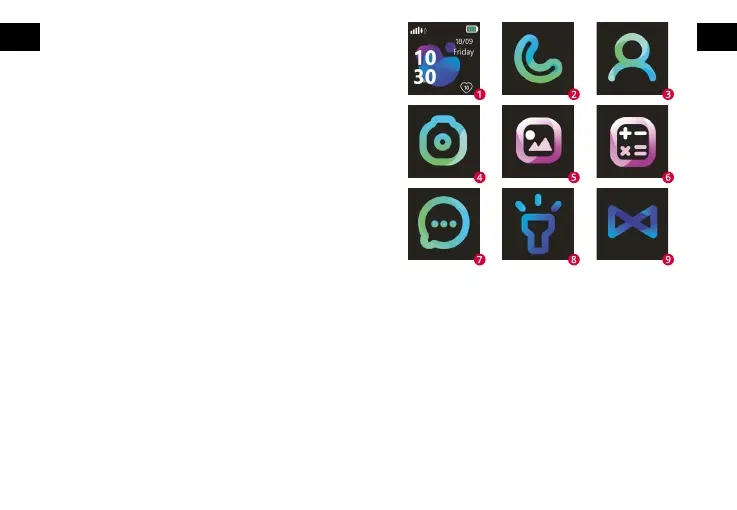
1. Device home screen showing the current date and time as well as
battery level. On this screen, we also see the icon for connecting
to the mobile network and the icon for the amount of contractual
awards received.
2. Enables you to make a phone call by manually entering the number.
3. The phone book gives you access to 10 contacts dened using the
application.
4. Allows you to take a photo that will be saved in the album.
5. Access to the last photo taken. Possibility to preview, send or delete
it. Each subsequent photo taken overwrites the previous one.
6. A simple math game with three levels.
7. It allows you to send voice messages and receive text and voice
messages.
8. It allows you to start the ashlight built into the watch.
9. It allows you to read the registration QR code for the device and the
application QR code.
The set includes
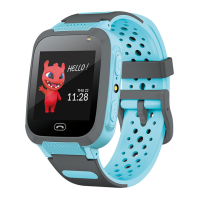
– smartwatch
– charging cable
– user manual
Charging
It is recommended to use a charger of output parameters of
5V ⎓ 1A. Charger is not included in the set. Full charging time of
the watch is approximately 2 hours. Open the plug protecting
the micro USB port, then connect the included micro USB cable
and connect the device to a power source.
1. Installing the SIM card
Always make sure your watch is turned o before inserting or
removing the SIM card. Never insert or remove the SIM card
when the watch is turned on. Open the back cover of the watch
by gently prying it at the top and sides until the latches are unfa-
stened. Then remove the battery, taking care not to damage the
battery cables. Remember its position. Open the micro sim card
cover by sliding it slightly to the right, and then insert the SIM
card into the slot in such a way that the sim card chip is facing
upwards to the watch screen. Then close the lock by sliding to
the left. Place the battery in the watch in it original position, then
close the back cover by pressing the latches.
2. First run
After installing the SIM card in the watch and charging the devi-
ce, you can start it by pressing and holding the on button.
- After starting, the watch connects to the mobile network.
3. Device operation
We operate the device via a touch screen. By sliding your nger
on the screen, you can switch between individual functions and
you select a given function by pressing the screen.



 To Next Page