2 3
1
2
3
4
5
6
7
Thank you for buying Maxlife brand product. Before use, read
this instruction manual and keep it for future reference. Do not
open the device on your own – any repairs should be carried
out by a serviceman. Only use original parts and accessories
supplied by the manufacturer. The device must not be exposed
to direct re or other heat sources. We hope that Maxlife will
meet your expectations.
Introduction
Before using the kids watch, carefully read the instruction ma-
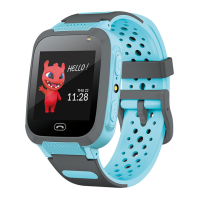
nual to ensure correct operation. Kids watch is a small telecom-
munication device, used to locate its position and send data.
Operation of the device is based on GSM/GPRS mobile network.
Important!
The device requires installation of a micro SIM card with active
service, allowing to make and receive calls, with no PIN lock. It is
recommended to deactivate voicemail. When sending informa-
tion regarding location, the watch will require access to mobile
Internet, therefore, you should buy at least 1 GB package. Use of
the watch may be associated with fees for using the network and
calls, in accordance with the operator’s tari.
Specication
– Display: 1.44’’ 128×128 px
– Touch screen: yes
– Standby time: up to 2-3 days
– Charging time: 2-3 hours
– Strap length: 230 mm
– Battery: 400mAH
– Camera: yes
– Microphone and speaker: built-in
– Sim card: micro SIM (with no PIN lock)
– Compatibility: Android ⩾ 5.0, iOS ⩾ 8.0
Device description
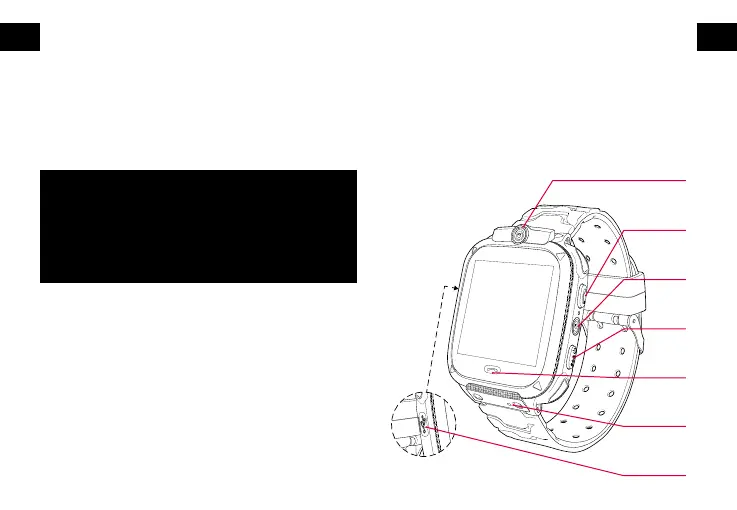
1. Camera
2. Receiving a call / turning on the ashlight (by pressing twice)
3. Flashlight
4. Turn on / SOS button / return to the main screen
5. Receiving a call
6. SIM card slot
7. Micro USB charging port
EN EN



 To Next Page