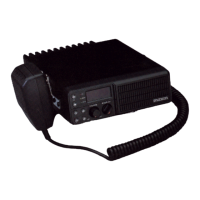
ON/OFF/VOLUME CONTROL
• turns the SMX-4150 on/off and adjusts the audio output level
SQUELCH CONTROL
• silences the radio's receiver when no signal is being received
• maximum squelch setting is at full clockwise rotation
CHANNEL CHANGE BUTTONS
• assigned (programmed) channels may be selected by pressing either of
the channel selector buttons; these buttons will scroll you through the
programmed channels in your radio
S FACILITY PUSH BUTTON
• used only on system mobiles
P FACILITY PUSH BUTTON
• used only on system mobiles
AUXILIARY SPEAKER BUTTON
• silences internal speaker and connects the Auxiliary Speaker (requires
auxiliary option board)
MONITOR BUTTON
• disables tone or digital coded squelch options (only in receive mode)
• controls display intensity
TRANSMIT LED
• indicates transmission when RED backlight is on
• will flash to indicate the synthesizer is out-of-lock
BUSY LED
• indicates activity on receive channel when YELLOW backlight is on
CALL LED
• indicates activity with the correct tone or code on the receive channel
when GREEN backlight is on
CHANNEL DISPLAY
• the BLUE-GREEN display is easily visible under high ambient light
conditions
• - indicates: channel number


 To Next Page