54
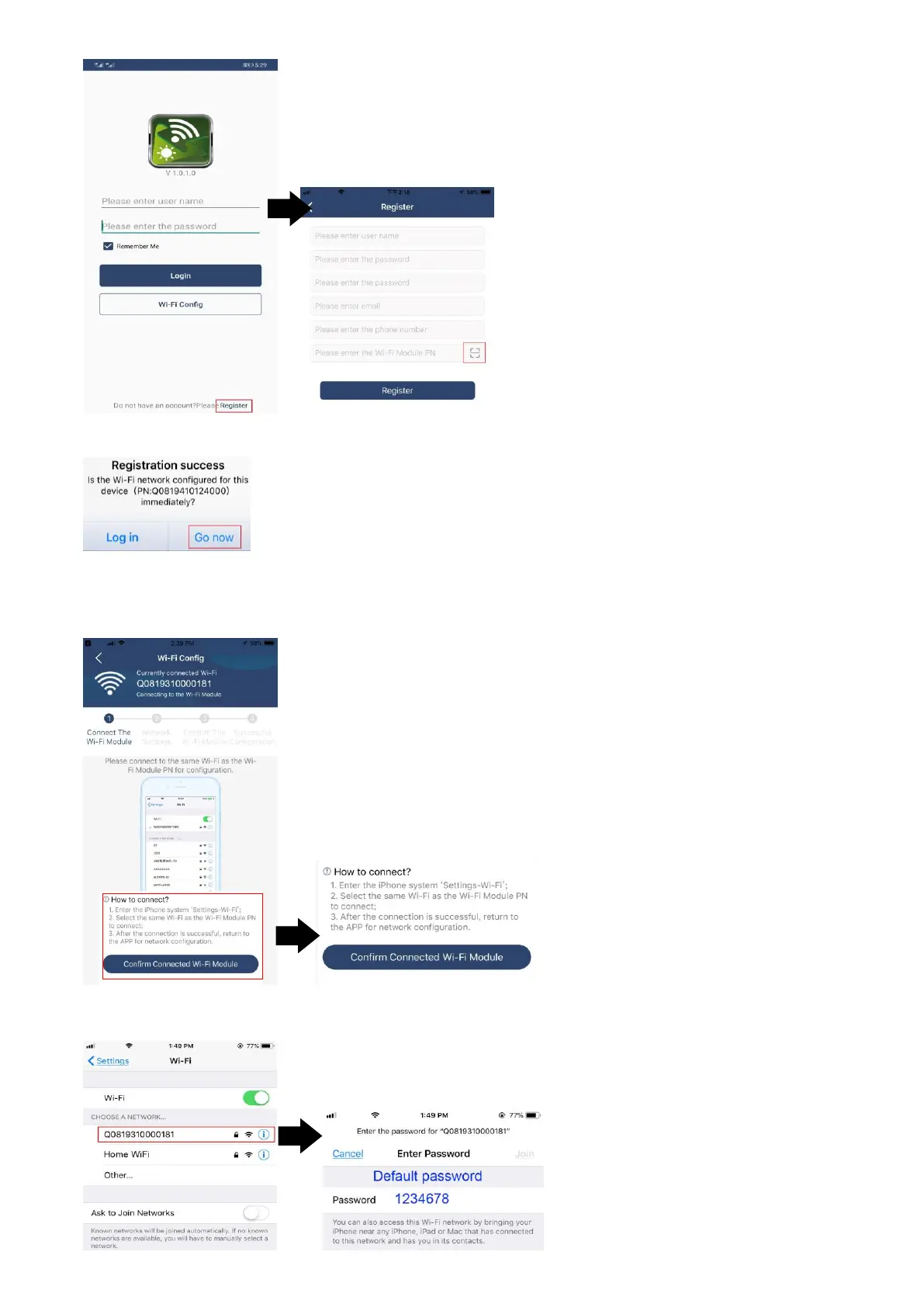
Then, a “Registration success” window will pop up. Tap “Go now” to continue setting local Wi-Fi network
connection.
Step 2: Local Wi-Fi Module Configuration
Now, you are in “Wi-Fi Config” page. There are detailed setup procedure listed in “How to connect?” section
and you may follow it to connect Wi-Fi.
Enter the “SettingsWi-Fi” and select connected Wi-Fi name. The connected Wi-Fi name is the same to your
Wi-Fi PN number and enter default password “12345678”.



 To Next Page