58
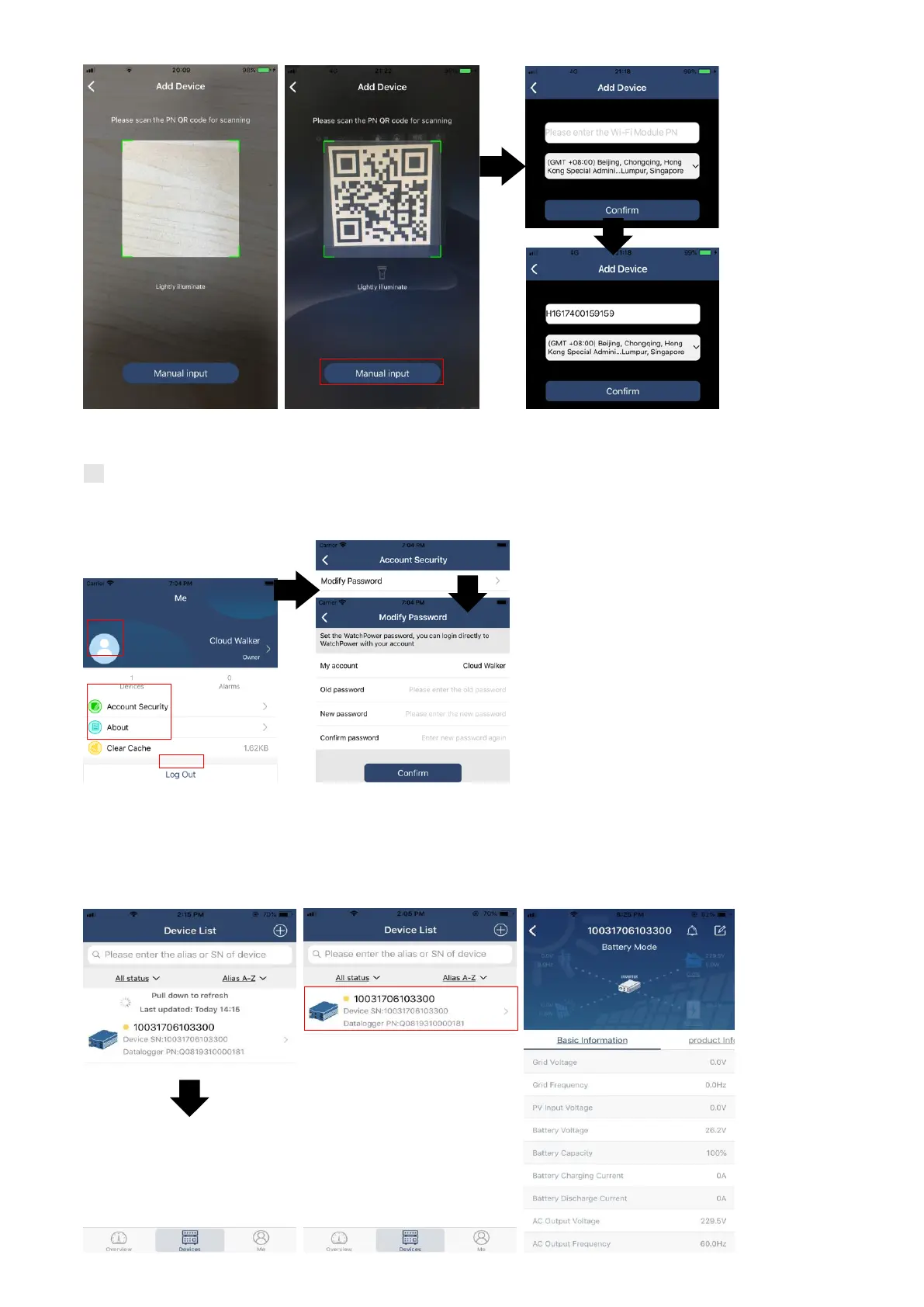
For more information about Device List, please refer to the section 2.4.
ME
In ME page, users can modify “My information”, including【User’s Photo】,【Account security】, 【Modify
password】,【Clear cache】,and【Log-out】, shown as below diagrams.
乙、 Device List
In Device List page, you can pull down to refresh the device information and then tap any device you want to
check up for its real-time status and related information as well as to change parameter settings. Please refer
to the parameter setting list.



 To Next Page