60
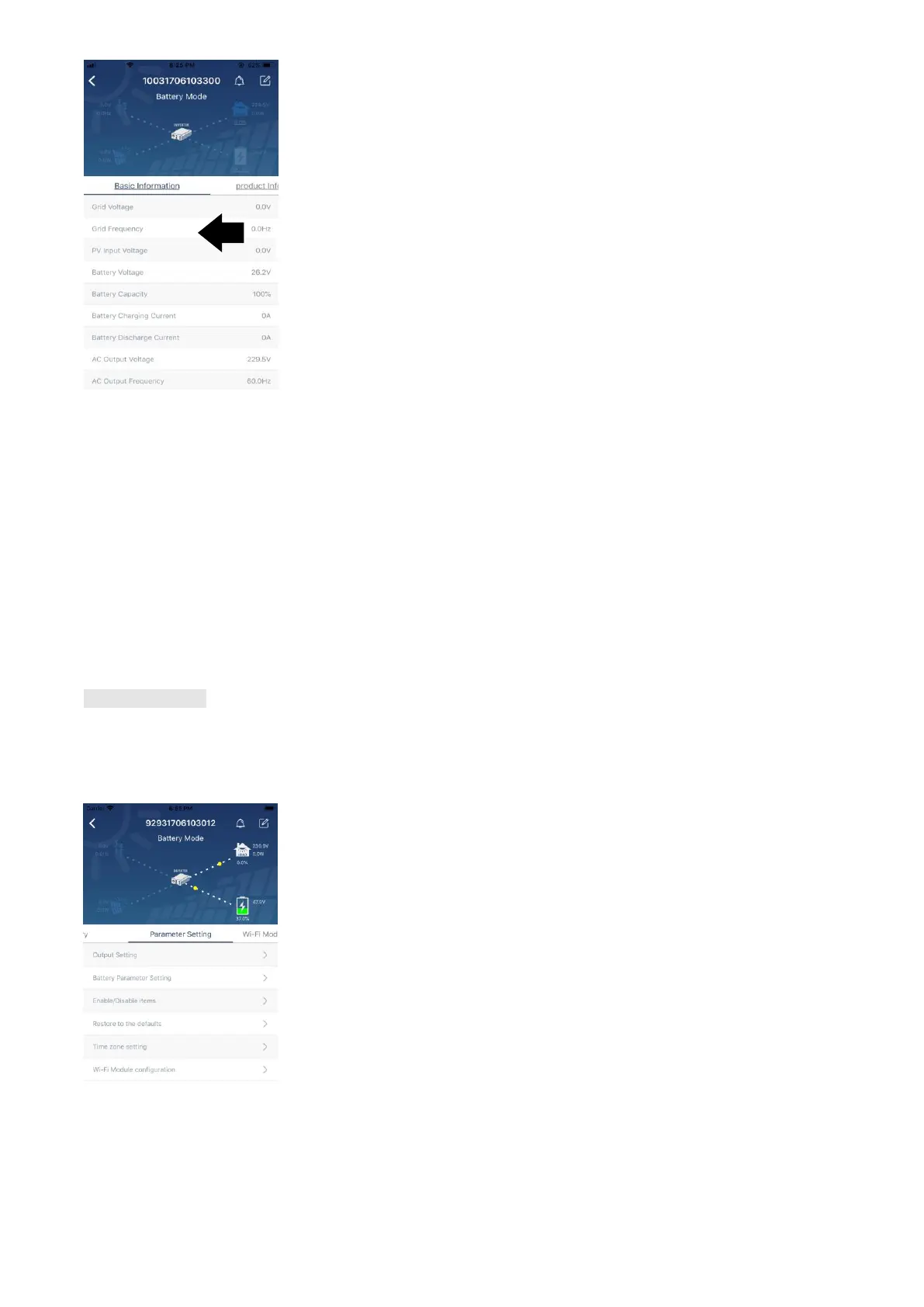
【Basic Information】displays basic information of the inverter, including AC voltage, AC frequency, PV input
voltage, Battery voltage, Battery capacity, Charging current, Output voltage, Output frequency, Output
apparent power, Output active power and Load percent. Please slide up to see more basic information.
【Production Information】displays Model type (Inverter type), Main CPU version, Bluetooth CPU version
and secondary CPU version.
【Rated Information】displays information of Nominal AC voltage, Nominal AC current, Rated battery
voltage, Nominal output voltage, Nominal output frequency, Nominal output current, Nominal output apparent
power and Nominal output active power. Please slide up to see more rated information.
【History】displays the record of unit information and setting timely.
【Wi-Fi Module Information】displays of Wi-Fi Module PN, status and firmware version.
Parameter Setting
This page is to activate some features and set up parameters for inverters. Please be noted that the listing in
“Parameter Setting” page in below diagram may differ from the models of monitored inverter. Here will briefly
highlight some of it,【Output Setting】,【Battery Parameter Setting】,【Enable/ Disable items】,【Restore to
the defaults】to illustrate.
There are three ways to modify setting and they vary according to each parameter.
a) Listing options to change values by tapping one of it.
b) Activate/Shut down functions by clicking “Enable” or “Disable” button.
c) Changing values by clicking arrows or entering the numbers directly in the column.
Each function setting is saved by clicking “Set” button.
Please refer to below parameter setting list for an overall description and be noted that the available



 To Next Page