Home
MAXSA
Flood Light
40330
Page 7 (Removing the Internal Bracket)
MAXSA 40330 - Removing the Internal Bracket
15 pages
Manual
Save Page as PDF
To Next Page
To Next Page
To Previous Page
To Previous Page
Loading...
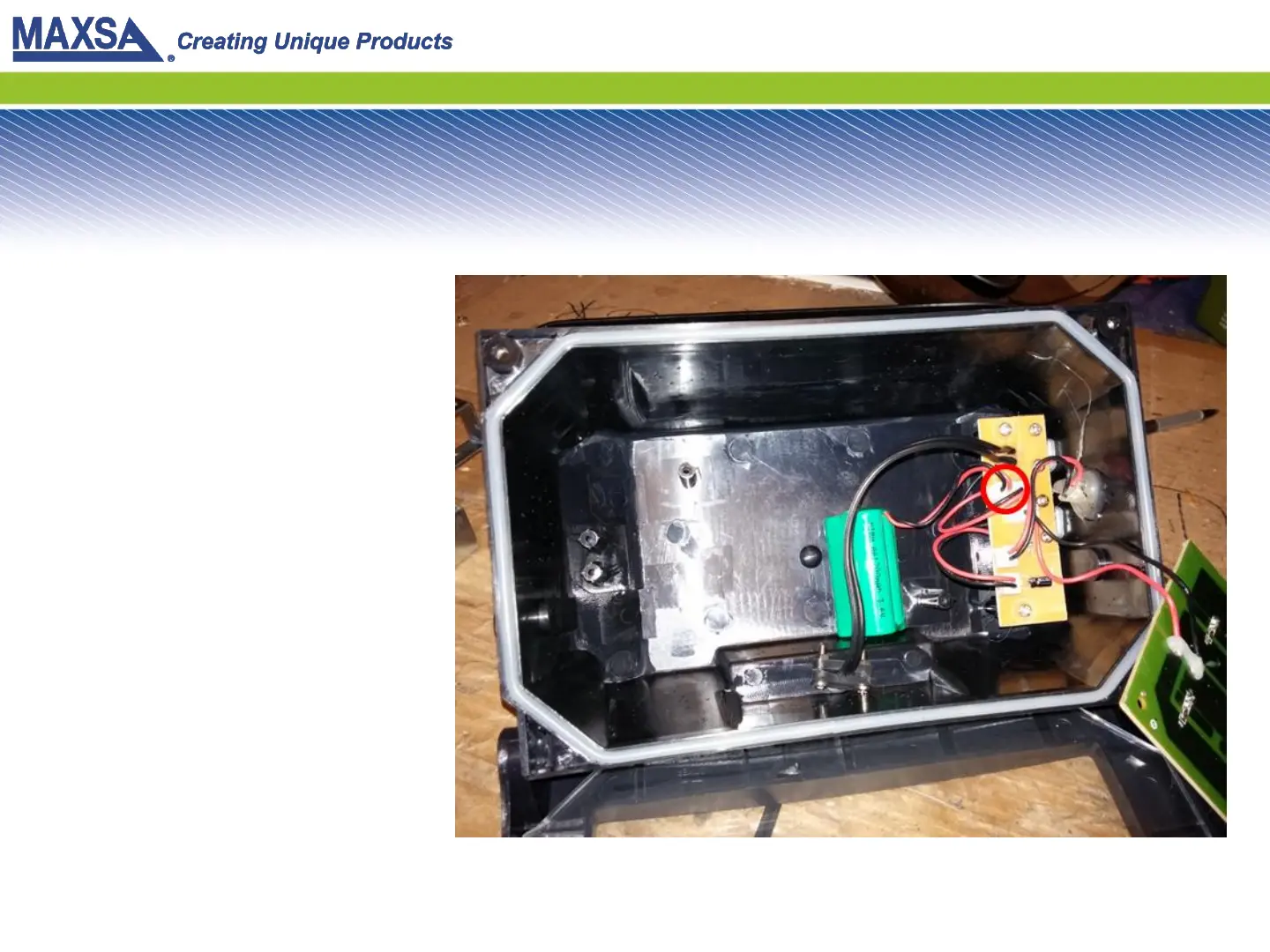
Step 5: Remove the Bracket
After r
emoving the scre
ws,
r
emove the br
ack
et. This will
expose
the batt
ery pack. Y
ou
will see the batt
ery pack is
plugged into the contr
ol boar
d.
6
8
Table of Contents
Main Page
Step 4: Remove the LED Board
6
Step 5: Remove the Bracket
7
Step 6: Remove the Battery Pack
8
Step 9: Insert Batteries
11
Other manuals for MAXSA 40330
Operating Instructions
6 pages
Assembly & Operating Instructions
6 pages
Related product manuals
MAXSA 44216
5 pages


 To Next Page