6
After Sales Support
UK/N.IRELAND HELPLINE N
O
:
REP.IRELAND HELPLINE N
O
:
WEBSITE:
EMAIL:
01270 508538
1800 995 036
www.quesh.co.uk
enquiries@quesh.co.uk
AUX IN
Using the AUX IN port
You can connect a device to the speaker using a 3.5mm audio/AUX
cable (not supplied). Press the /mode so that the red LED lights
up to indicate the AUX IN is the primary audio source.
Please Note:
If you are connecting a phone, MP3 player, laptop, etc use the
headphone socket to connect the audio/AUX cable to the AUX IN
port on the speaker.
Volume & EQ
Volume
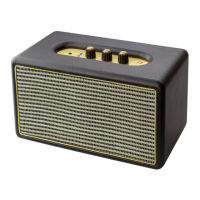
Turn the volume dial clockwise to raise the volume or counter
clockwise to lower the volume.
EQ
Turn either the Bass or Treble dial clockwise or counter clockwise
to adjust the sound frequancy bias of the audio output.


 To Next Page