7
After Sales Support
UK/N.IRELAND HELPLINE N
O
:
REP.IRELAND HELPLINE N
O
:
WEBSITE:
EMAIL:
01270 508538
1800 995 036
www.quesh.co.uk
enquiries@quesh.co.uk
Specifications
FAQ’s
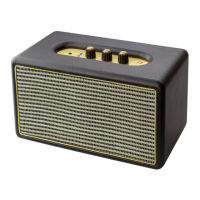
Wireless Amp Speaker
Bluetooth:
Bluetooth Protocol:
Bluetooth Range:
Power Requirement:
Audio Type:
Speakers:
AUX IN Port:
Weight:
Dimensions:
Ver. 4
AD2P
Approx. 10m
12V/2A
Stereo
2 x 12W
3.5mm
2.0Kg Approx.
265mm x 140mm x 150mm
Problem Cause Solution
Bluetooth dropping out after
a few minutes.
Full device cache on device.
Connected device has low
power.
Manually clear the device’s cache &
restart the device.
Recharge the connected device or
connect it to a power source.
Stuttering/delay music. Too many processes running
on device.
Corrupt bluetooth prole.
Interference.
Close unused apps.
Unpair & delete bluetooth prole,
then re-pair device.
Use away from high powered
devices or strong RF signals.
No music No compatible music app.
A2DP is not available on your
device.
Speaker not paired.
No power.
Volume low.
Use a compatible music app.
None.
Check bluetooth is on & the device
is connected.
Turn on Speaker.
Turn the volume up.


 To Next Page