7
After Sales Support
UK/N.IRELAND HELPLINE N
O
:
REP.IRELAND HELPLINE N
O
:
WEBSITE:
EMAIL:
01270 508538
1800 995 036
www.quesh.co.uk
enquiries@quesh.co.uk
Using The App
Home Screen
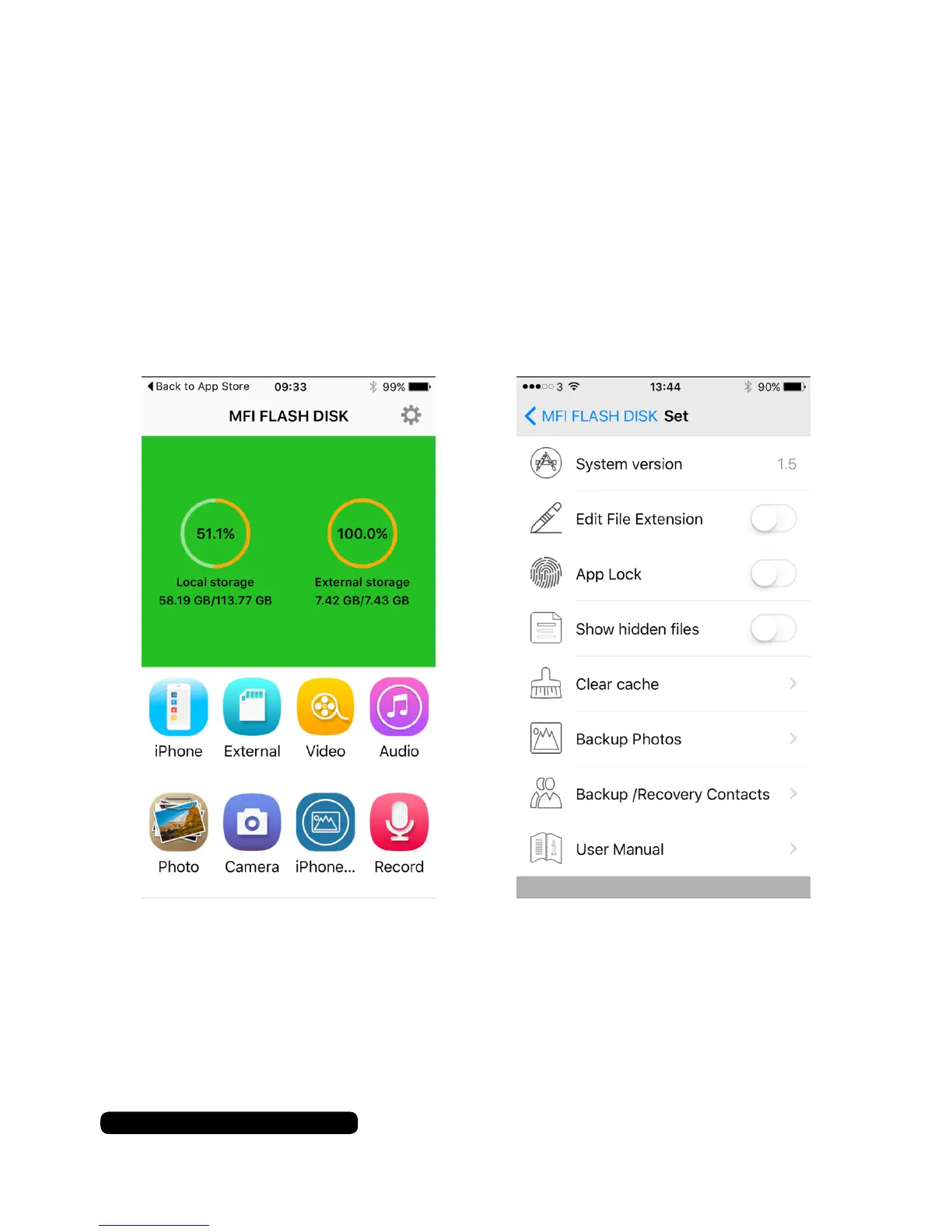
Opening the app will display the home screen. This screen will show
you the amount of space you have available on your iPhone/iPad
device (Local storage) and how much space is available on your
ash drive (External storage). You will also have access to additional
features provided by the app as well as the app settings via the gear
icon in the top right corner.
Under the Settings option you will have a user manual available for
the i-USB-Storer app provided by the app developer.


 To Next Page