EasyManua.ls Logo

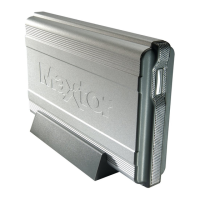
Maxtor Basics Desktop - User Manual

Maxtor Basics Desktop
2 pages
Print Icon
To Next Page IconTo Next Page
Loading...
EN
FR
Maxtor Basics
External Hard Drive
Connect the power adapter and USB 2.0 cable
connector in the following order:
1. Plug in the power adapter 2. Connect the USB 2.0 cable from
the Maxtor Basics to the USB port
on your computer
IT
DE
ES
RU

Other manuals for Maxtor Basics Desktop

Question and Answer IconNeed help?

Do you have a question about the Maxtor Basics Desktop and is the answer not in the manual?

Maxtor Basics Desktop Specifications

General IconGeneral
BrandMaxtor
ModelBasics Desktop
CategoryStorage
LanguageEnglish

Summary

Connecting the Maxtor Basics External Hard Drive

Connection Procedure

Connect the power adapter and USB 2.0 cable from the drive to your computer.

Macintosh Drive Reformatting

Macintosh users should launch Apple Disk Utility to reformat the drive.

AC Adapter Specifications

Use only AC adapters with specified electrical characteristics and certifications.

Related product manuals