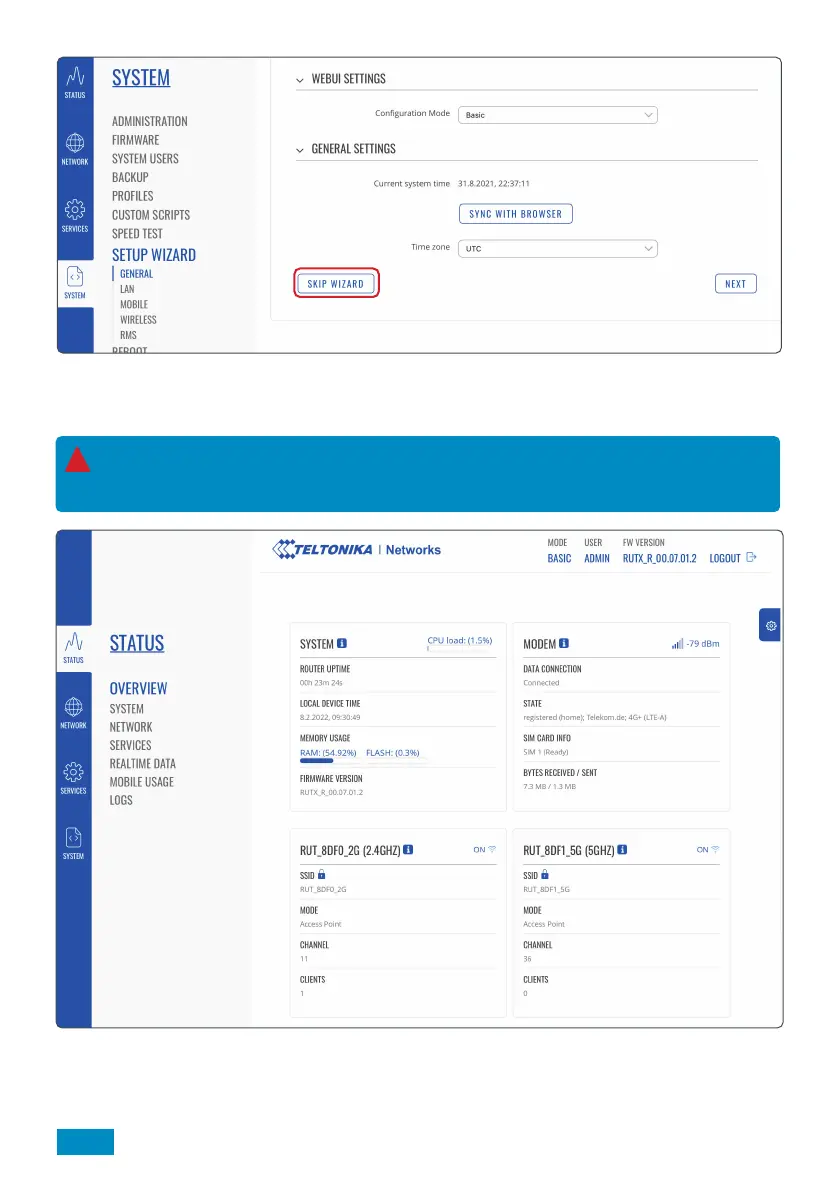
4. When accessing the Web User Interface for the first time, you will be offered the chance to use the Set Up
Wizard. This can be used to set up the router’s most relevant parameters, such as changing the hotspot
username and password.
5. You will now have access to the router’s dashboard. This page displays useful data such as mobile, system
and wireless data. Unless necessary, we do not recommend changing any of the dashboard settings.
Competent users can navigate through other settings, however we recommend skipping the Set Up
Wizard as it is not strictly necessary to change any of these settings. For most users we recommend
skipping the installation by selecting ‘Skip Wizard’.
!
18


 To Next Page