8
CANOPY INSTALLATION:
1. POWER OFF THE FREEZER. REMOVE FOOD INSIDE.
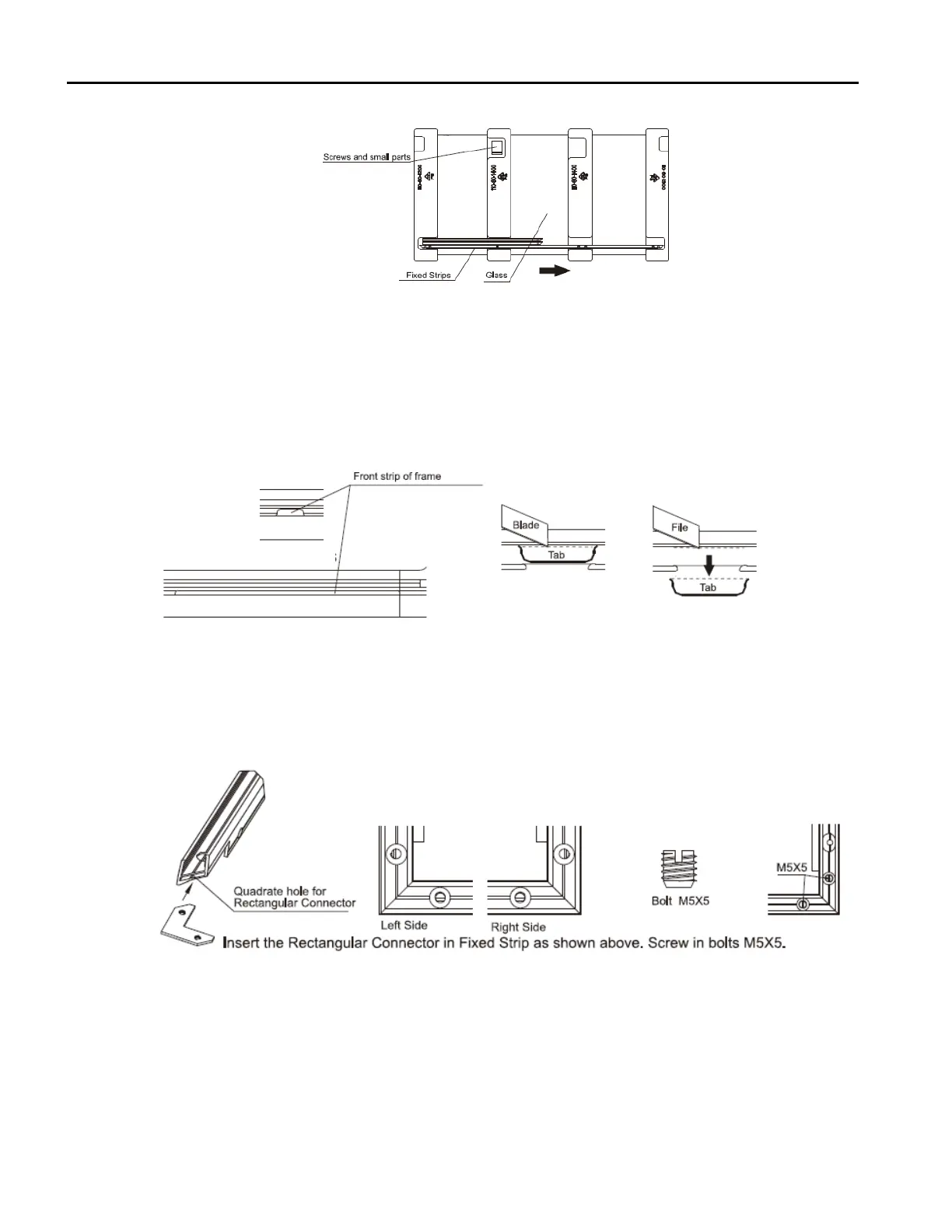
2. CHECK and PREPARE PARTS and TOOLS
• Open the carton box, take out foam package and dispose appropriately. Recycle when possible.
• Check parts and quantities as listed in Parts Diagram above.
• Tool Preparation: Utility Knife, Philips Screw Driver, Flat Head Screw Driver, Electric Drill with 3.2 Bit.
• Store all empty packages in the carton in case they need to be reused.
NOTE: U
nplug the freezer and relocate any food inside to another cold storage appliance before
installation of canopy.
3. INSTALLATION GUIDELINES
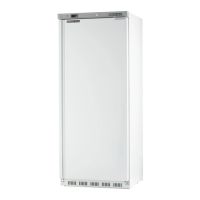
• Remove lid guide tab from frame front.
• Score the front frame lid guide tab several times.
• Cut through the front frame lid guide tab and pull from frame.
• Smooth cut area on frame with small file.
4. ASSEMBLE the FIXED STRIPS
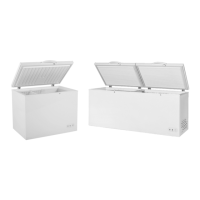
• Slide one side of the rectangular connector all the way into the left end of the front fixed strip lot.
• Slide the other side of the rectangular connector all the way into the side slot of the left fixed strip.
• Securely screw bolt M5X5 into the corresponding holes in the two strips.
• Repeat steps 1 - 3 for the right side of the front fixed strip and the right fixed strip.


 To Next Page