Command
Item
Key Combination
Description
Illustration
Choosing
a Channel
Pairing
Process
Set
Remote
Control
Channel
Pairing
Process
Copy
Remote
Control
Channel
1
In order for a remote control to execute commands on a
motor, its active channel must be paired with that motor.
Use the instructions below to choose a channel, then
proceed to the pairing process.
2
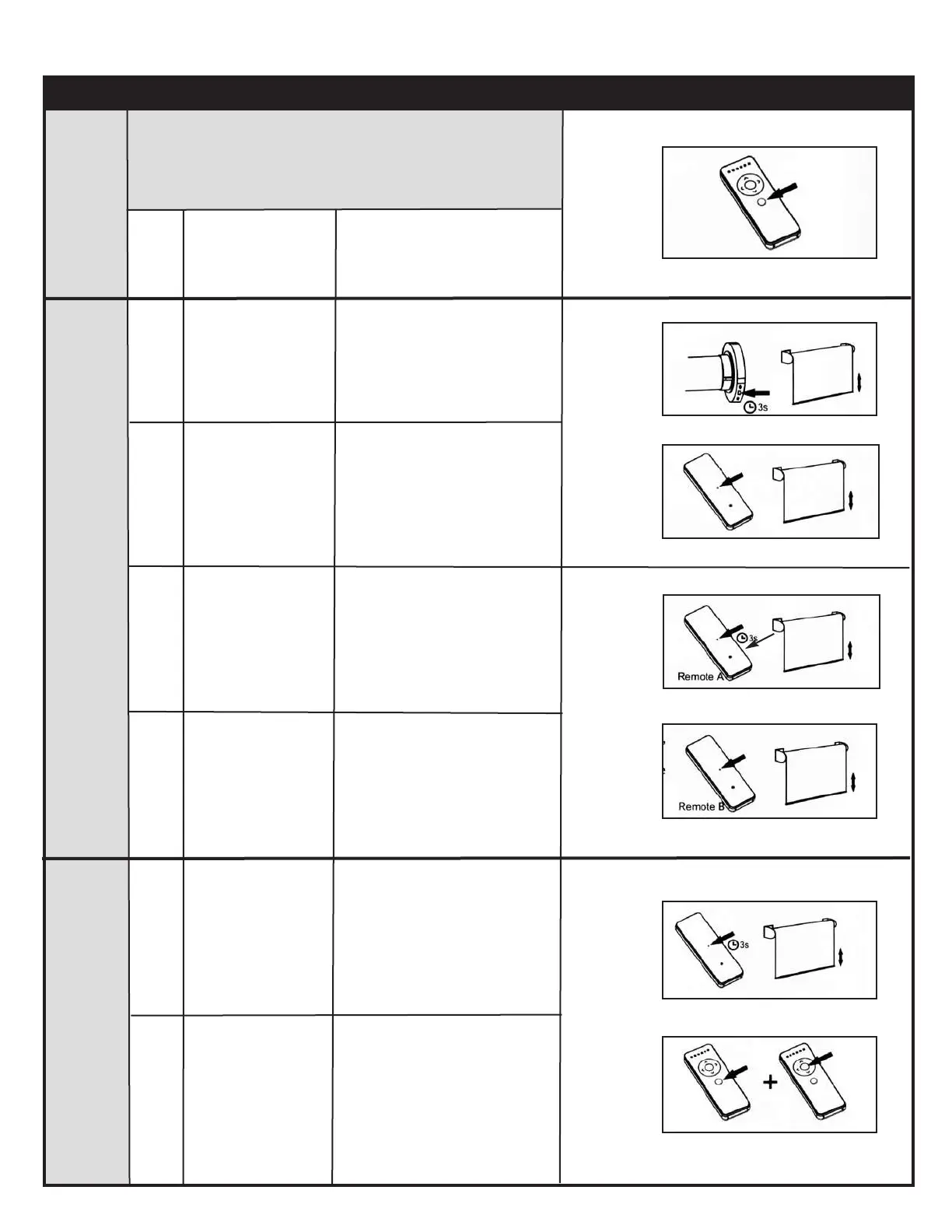
Press the SET on
the back of the
remote control
Press the
CHANNEL button
as many times as
needed
Hold the HEAD
button for 3
seconds
1
1
To select the desired channel
to pair with the motor
The motor will move up and
down
1
2
Using a previously
programmed remote
control (A), hold the
SET button on the
back of the remote
control for 3 seconds
Using the new
remote control (B),
press the SET
button on the back
of the remote control
Motor will move up and down
to confirm the operation
Motor will move up and down
Motor will move up and
down to confirm that the new
remote/channel was paired
Basic Operation - 1 and 5 Channel Remote Controls Continued
1
2
1
2
Reverse
Direction
1
1
2
Hold the SET button
on the back of the
remote control for
3 seconds
Motor will move up and down
to indicate the process has
started
Press the
CHANNEL + STOP
buttons at the same
time
2
Motor will move up and down
to confirm the operation



 To Next Page