MODE
START
STOP
PROG
u
MP3
W
u
W
u
17
ENG
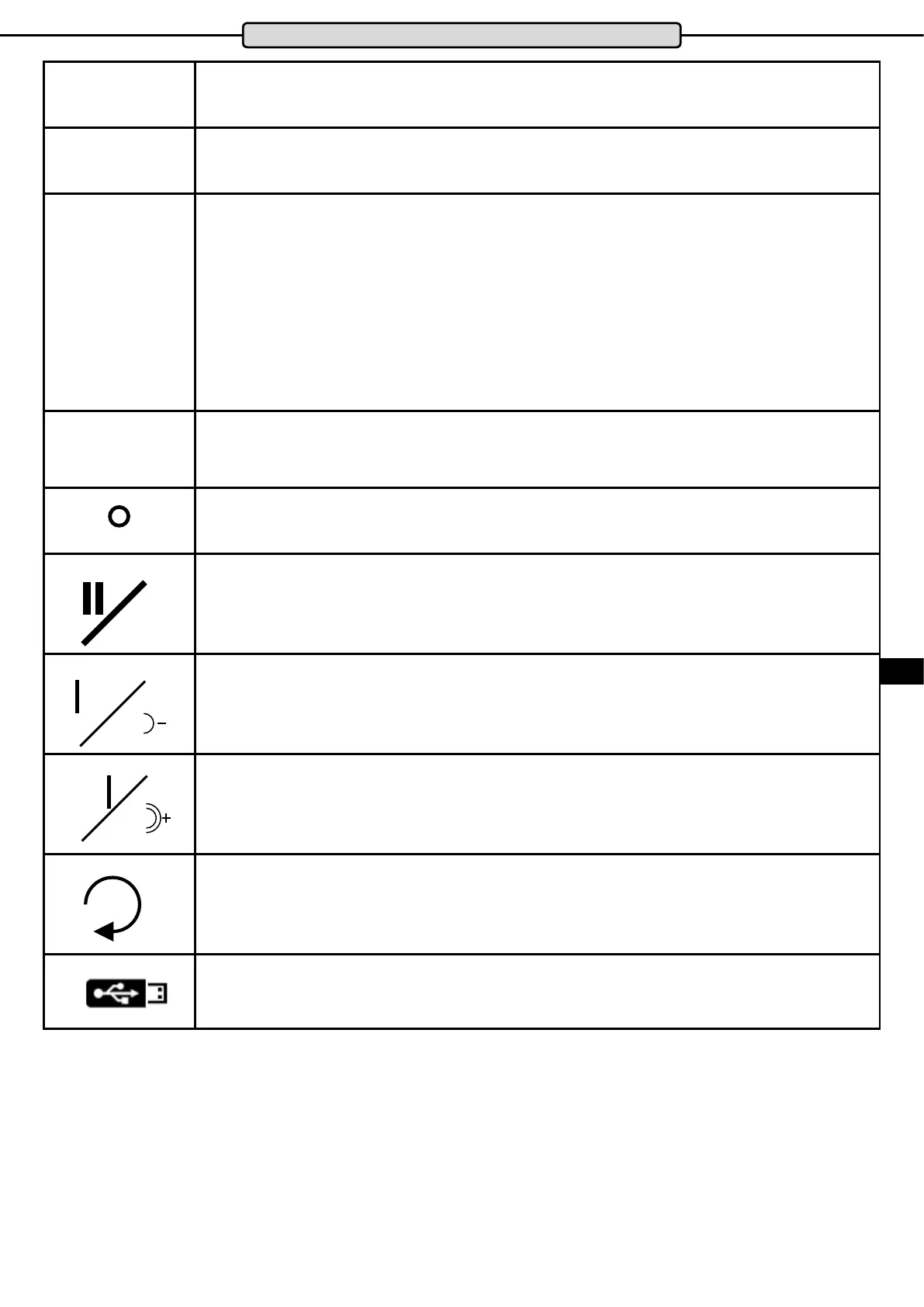
Button to select training presets and to select the manual training programs and the competition
programs.
Button to start the selected program or the Quick Start function
Pause function
Pressing the STOP button once while exercising will stop the treadmill. The cockpit switches to
pause mode and the display shows “PAU”. By pressing the START button again the training will be
continued from the point where it was interrupted.
Stop function
If the cockpit is in pause mode, the training is terminated by pressing the STOP button again and a
summary of the training data appears in the display.
RESET function
If the cockpit is in STOP mode, pressing the STOP button again will reset ockpit data to zero.
Button to select pre-programmed exercises P1 to 24, the free memory locations U1 to U3, heart rate
controlled programs HRC 1 and HRC2 and BMI determination.
RCA connector for connecting an external music source (MP3 player, Smartphone, etc.). The con-
nection cable is supplied.
Starts or stops the connected music or video. A USB stick with with video or audio les can be start-
ed or stopped using this button.
To choose between the individual videos or music les - briey press the button
To reduce the volume - keep the button pressed
To choose between the individual videos or music les - briey press the button
To increase the volume - keep the button pressed
Button for selecting audio or video playback.
If pressed during video playback, the video will be played in full screen
USB port for USB stick up to USB 2.0.
The connection is located on the top of the cockpit housing.
Cockpit


 To Next Page