10:00
10:00
22
Free Memory Slots User 1 to 3
There are three free memory spaces available in which the user can create their own training proles and save
them permanently
Step 1: Program selection.
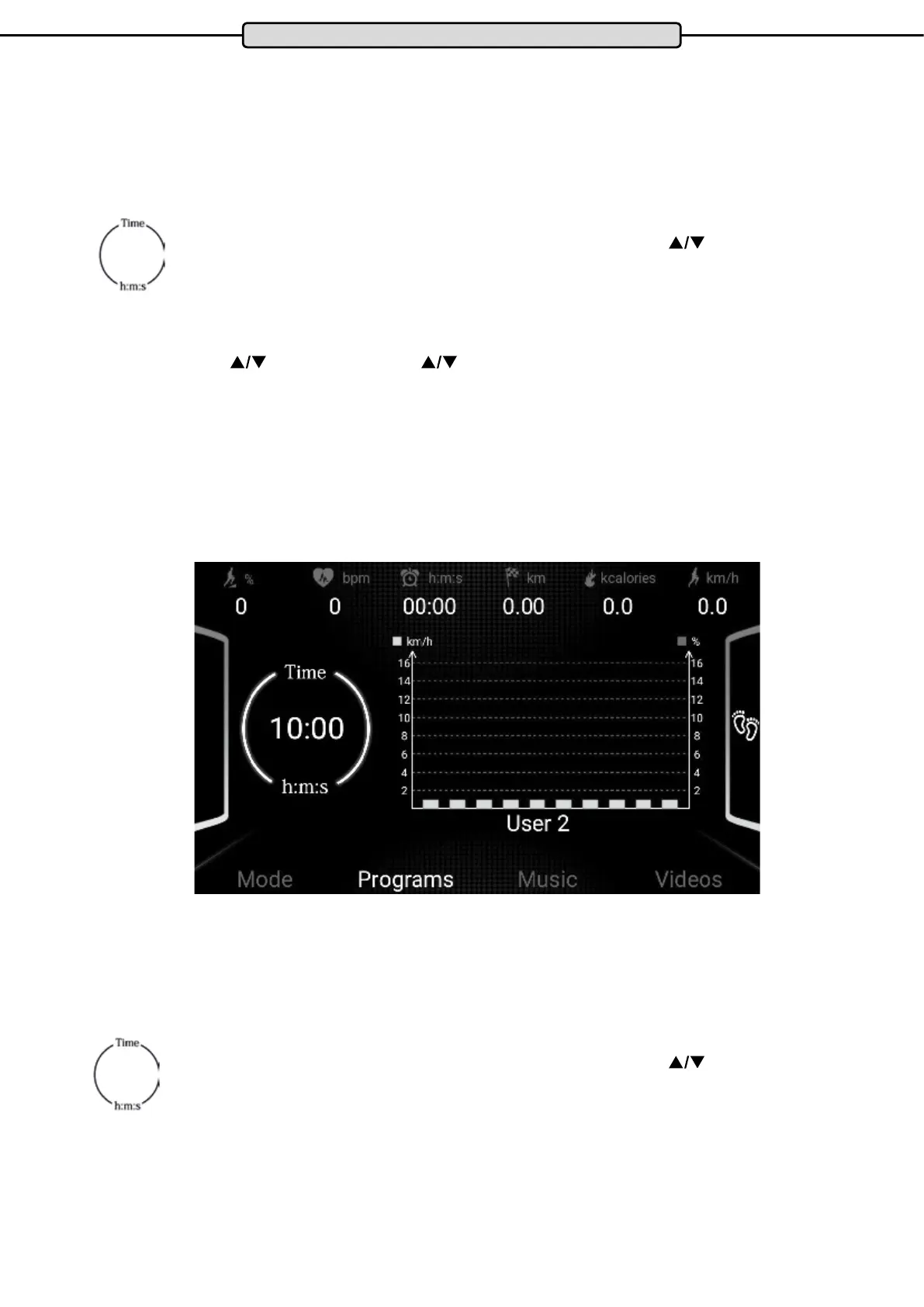
Switch on the treadmill and select the desired program User 1 to User 3 by pressing the PROG button.
Step 2: Specication of the training time
The value “10:00” ashes in the “TIME”display.
Enter the desired workout time from 05:00 to 139: 00 minutes by pressing the
buttons
for SPEED or INCLINE.
Press the MODE button
Step 3: Create the training prole
After you have conrmed the exercise time by pressing the MODE button, the rst of ten prole segments
ashes. Press the
SPEED buttons and the keys for INCLINE to select to select the desired speed
and slope for this segment. Conrm your selections by pressing the MODE button. Now the second segment
ashes. Repeat for the remaining segments.
Step 4: Training start
After conrming the tenth segment by pressing the MODE button, press the START button. The display shows a
countdown. After the countdown has nished, the treadmill starts automatically.
The training ends automatically with the achievement of the given training time.
Cockpit
Training with an Existing User Program
Step 1: Program selection.
Switch on the treadmill and select the desired program User 1 to User 3 by pressing the PROG button.
Step 2: Specication of the training time
The most recent training time specied for this program ashes in the TIME display eld.
Enter the desired workout time from 05:00 to 139: 00 minutes by pressing the
buttons
for SPEED or INCLINE.
Step 3: Training start
Press the START button. The display shows a countdown.
After completion of the countdown the treadmill starts automatically.
The training ends automatically at the end of the specied training time.


 To Next Page