W
u
W
u
u
u
W
u
W
u
26
1. Connecting a USB stick with audio les via the USB port
USB sticks up including USB 2.0 can be directly connected to the exercise device using the USB port located on
the cockpit top.
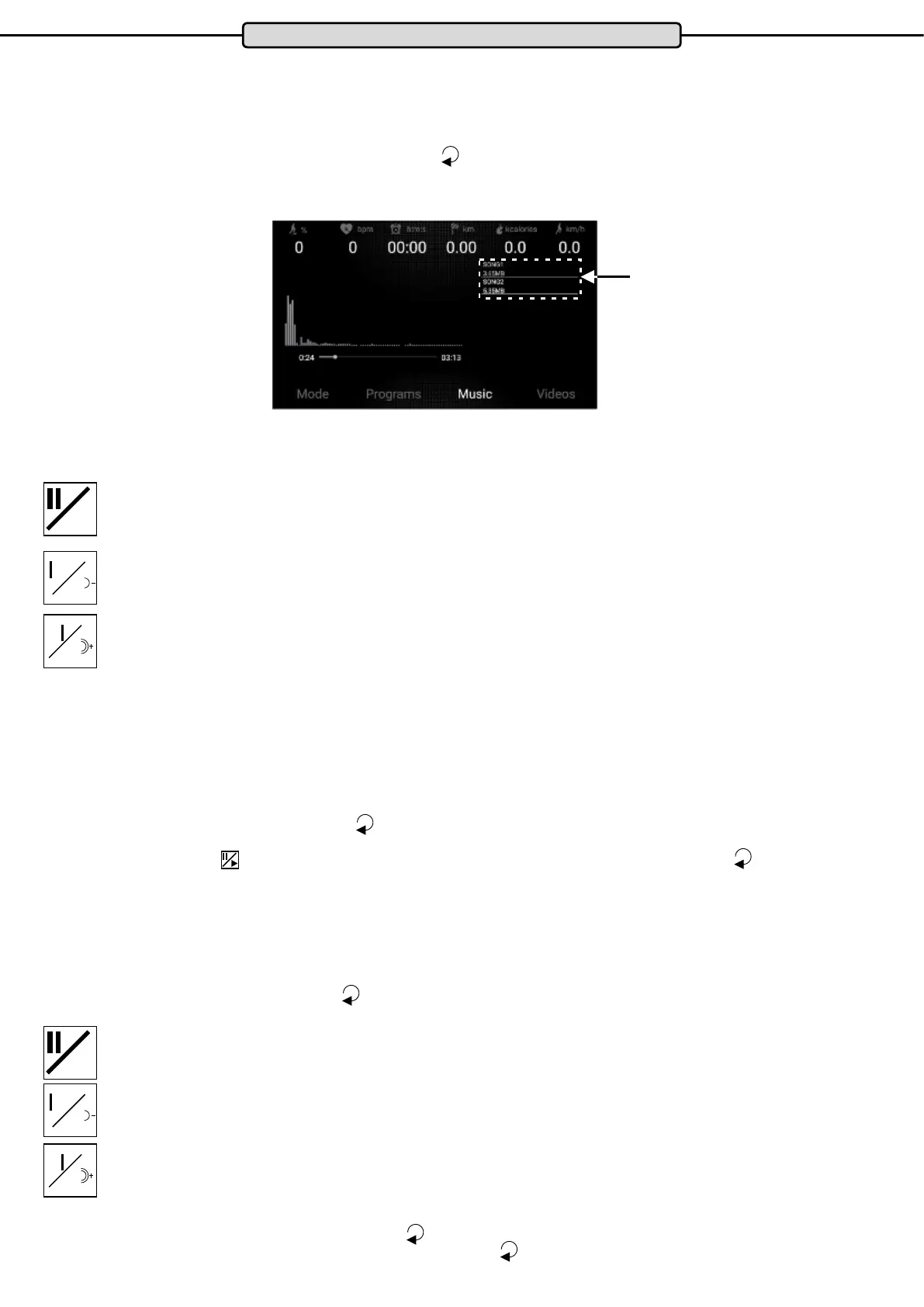
To start this type of audio playback, press the button
at any time before or during a training session. The
following graphic appears in the TFT display the “Music” is highlighted in white.
Audio les on the USB stick detected by the system are shown in the upper right part of the display.
This button starts or stops the audio playback
To jump back a le, press this button once
To reduce the volume, press and hold this button.
To jump forwards a le, press this button once
To increase the volume, press and hold this button.
Play a video source
The cockpit of your training device has a demo video.
In it the user “runs” a route in the Italian city of Venice.
To play this video le, press the button
before or during a training session repeatedly until the graph shown
above appears in the TFT display and “Videos” is highlighted in white.
Press the button
and the pre-installed video will be played. To go into full screen mode press the button
again.
Play a video le via USB
USB sticks up including USB 2.0 can be directly connected to the exercise device using the USB port located on
the cockpit top.
To play a video le, press the button
before or during a training session repeatedly until the graph shown
above appears in the TFT display and “Videos” is highlighted in white.
Audio les on the USB stick detected by the system are shown in the upper right part of the display.
This button starts or stops video playback
To jump back a le, press this button once
To reduce the volume, press and hold this button.
To jump forwards a le, press this button once
To increase the volume, press and hold this button.
To switch to full screen mode, press the button
again.
To stop the audio or video playback completely. Press the key
.
Cockpit
Audio les


 To Next Page