5
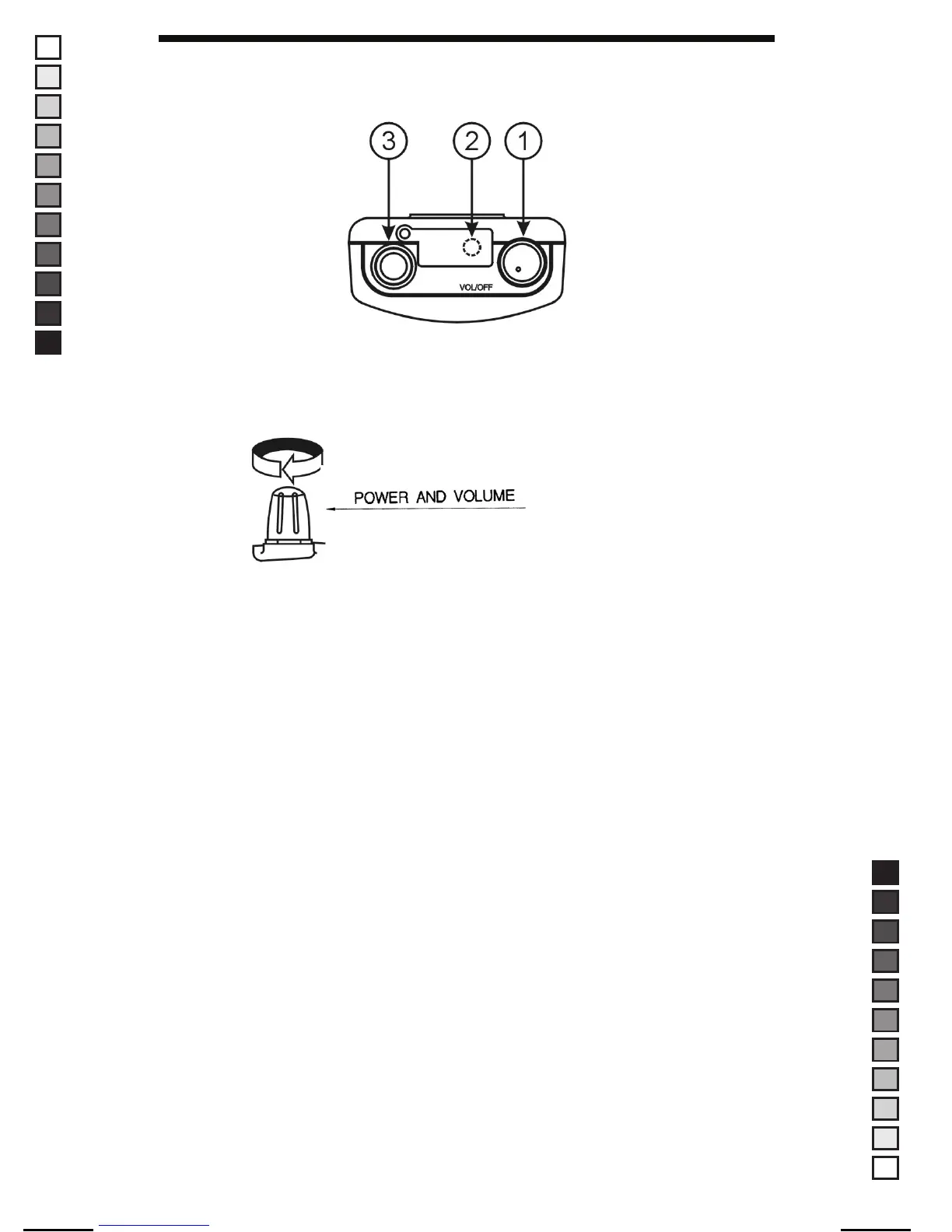
● Top Panel Features
1. Power On/Off, Volume
Turn the Volume switch clockwise to the turn power on and set desired
volume. Turn the Volume button anti-clockwise to turn the power off.
When the power is on, the lastly used frequency per mode and band
is displayed on the LCD.
2. Antenna
This antenna provides good receiver performance given its overall size.
3. Phone Jack
Let the user listen to the conversation in privacy.
Dust Cover : When Earphone is not being used, this prevents dirt and
moisture from getting inside the radio.
MANUAL SIZE: 110 X 190 mm / MATERIAL: ART PAPER(W/O COATING)
MANUAL-USER(FR-100) / ERP CODE: 2190014 / English / Maycom Export Version
[2008.09.08] 8, 9, 11, 12 page edit version


 To Next Page