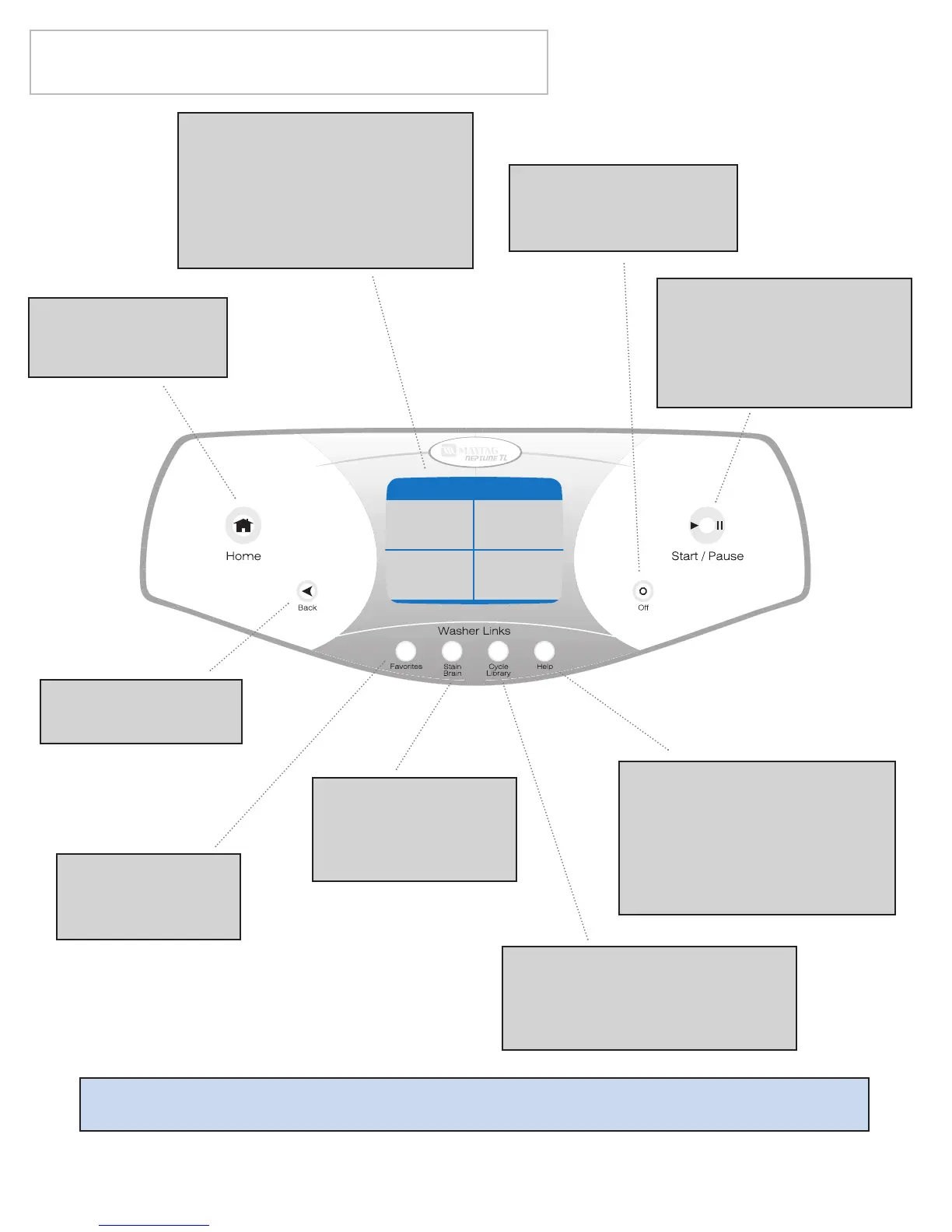
Touchscreen - An interactive
display that responds with the
touch of a finger.
Note: Exposure of the
touchscreen to direct sunlight
is not recommended.
Favorites - Quick
access to your
named cycles.
Start/Pause - Press this
pad to start a cycle. Once
started, pressing this pad
will pause the washer at
any point in the cycle.
Help - Quick access to
Fabric Care Symbols, Before
You Call, Laundry Hints,
Operating Tips, Lock Out
Feature and Select
Preferences.
Back - Takes you to
the previous screen.
Home - Takes you
immediately to the
first screen.
Off - Stops the washer
and the turns off the
display.
Special Note: Press Back for previous touchscreen.
Stain Brain -
Detailed steps to
treat over 60 of the
most common stains.
Cycle Library - Use to quickly
select and start preprogrammed
wash cycles. Cycles are listed in
alphabetical order.





 To Next Page