Black plate (188,1)
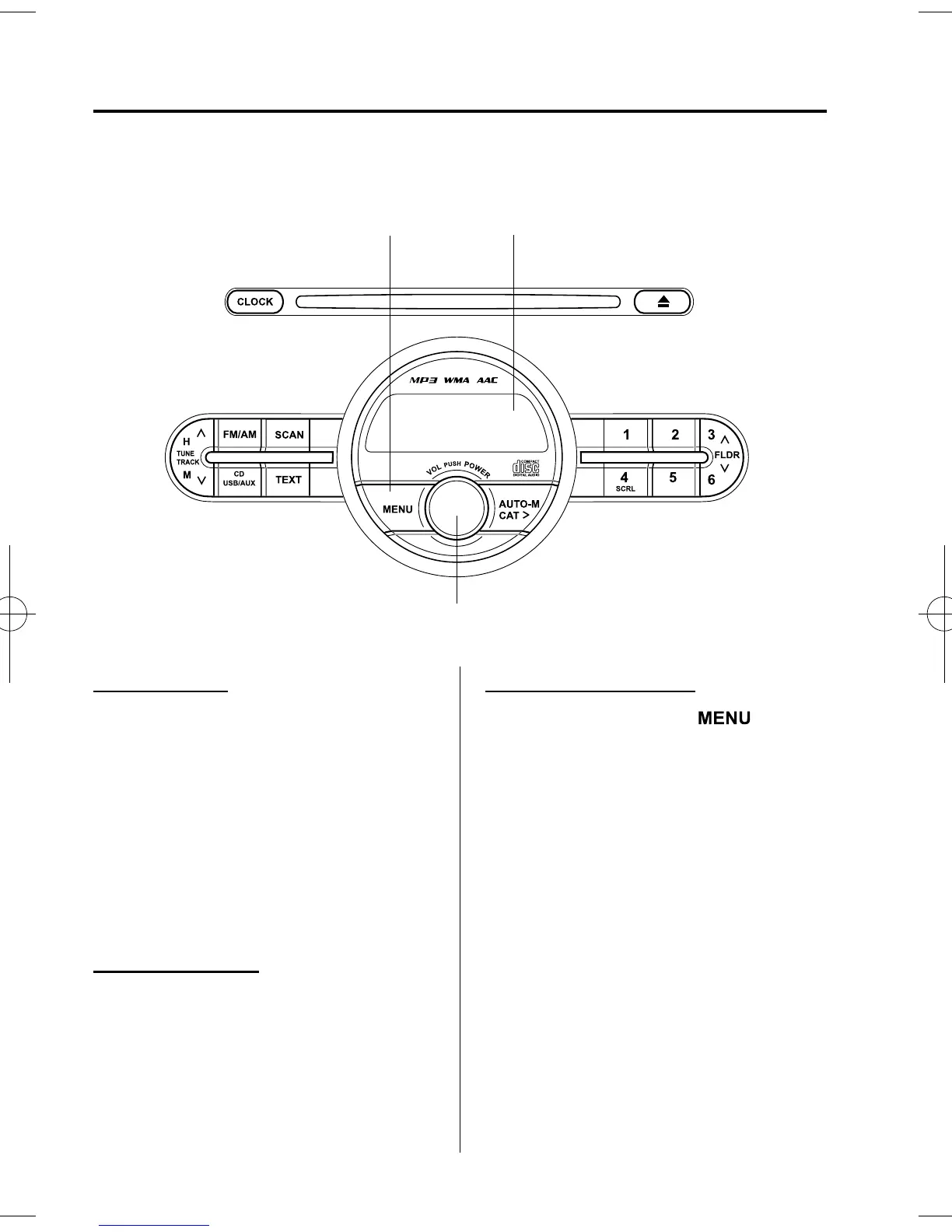
qPower/Volume/Sound Controls
Display
Power/Volume/Audio control dial
Menu button
Power ON/OFF
Switch the ignition to ACC or ON.
Press the power/volum e dial to turn the
audio system on.
Press the power/volum e dial again to turn
the audio system off.
NOTE
To prevent the battery from being discharged,
do not leave the audio system on for a long
period of time when the engine is not running.
Volume adjustment
To adjust the volume, turn the powe r/
volume d ial.
Turn the power/volume dial to the right to
increase volume, to the left to decrease it.
Audio sound adjustment
1. Press the menu button (
)to
select the function.
6-22
Interior Comfort
Audio System
Mazda2_8DB3-EC-13G_Edition4 Page188
Wednesday, June 4 2014 10:31 AM
Form No.8DB3-EC-13G



 To Next Page