43
Navigation Set Up
Navigation Set Up
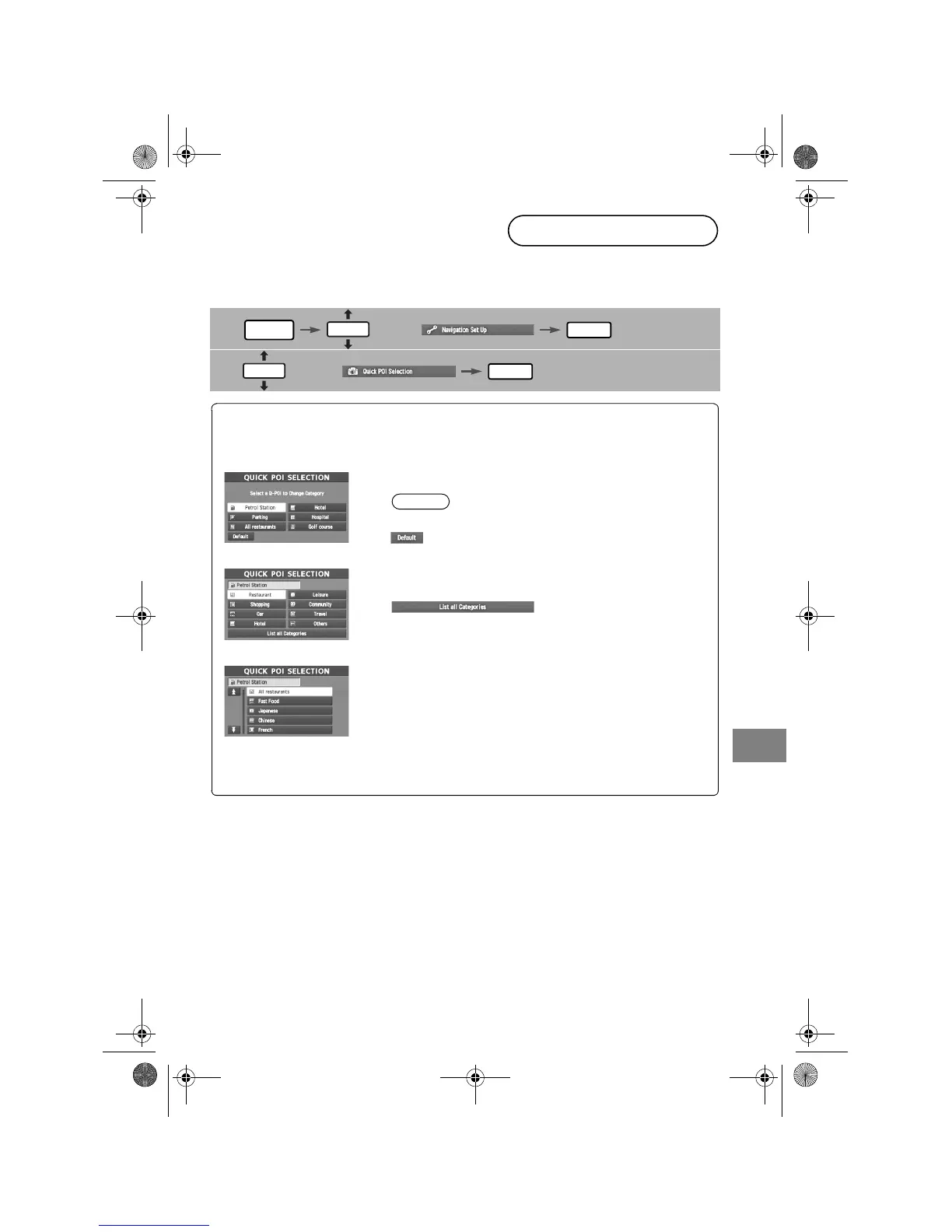
This function allows you set the categories on the area displayed when the (Point of interest)
menu is selected on the map. Quick POI enables you store up to six different kinds category
which you use most regularly.
1
select
2
select
Quick POI Selection
MENU
ENTER
ENTER
ENTER
Open the [QUICK POI SELECTION] screen
Select the button for Quick POI storage.
Note
●
Select the category to be changed
: This button allows you to restore the factory setting.
Select a category.
Once selected, subcategories will be displayed.
: Subcategories from all of the
individual categories will be
displayed together.
Select the subcategories to be displayed on the
map.
Repeat the above steps to add further POI markers displayed on the menu.
Navi_EA.book Page 43 Monday, March 28, 2005 4:13 PM



 To Next Page