Black plate (214,1)
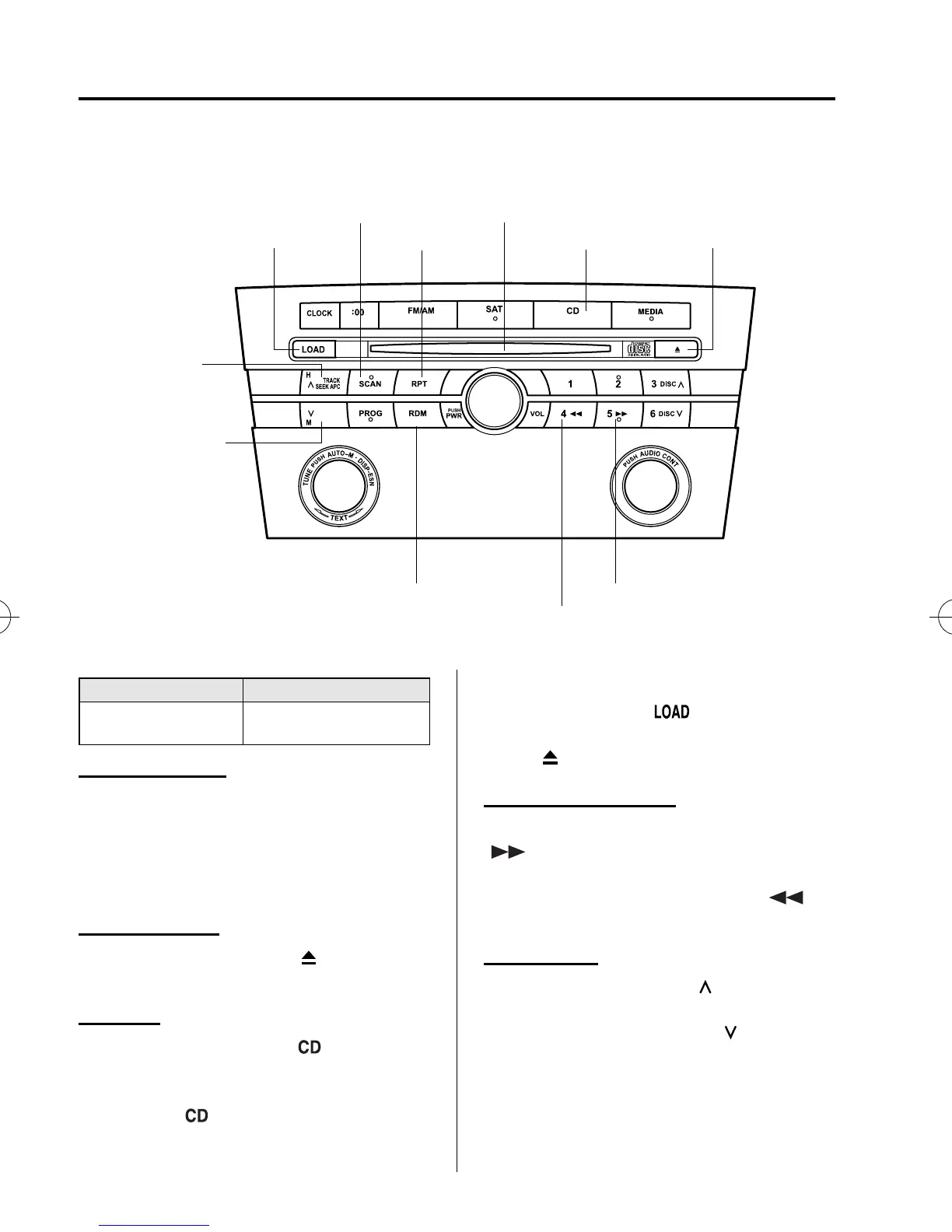
qOperating the Compact Disc (CD) Player
í
Track up
button
Track down
button
Load button
Scan button
Repeat button
CD slot
CD play button CD eject button
Random button
Reverse button
Fast-forward button
Type Playable data
Music CD player
(non-MP3 compatible)
· Music data (CD-DA)
Inserting the CD
Insert the CD into the slot, label-side up.
The auto-loading mechanism will set the
CD and begin play. There will be a short
lapse before play begins while the player
reads the digital signals on the CD.
Ejecting the CD
Press the CD eject button (
) to eject the
CD.
Playback
Press the CD play button (
) to start
play when a CD is in the unit.
If a CD is not in the unit when the CD
play button (
) is pressed, “NO DISC”
will flash on and off.
NOTE
When the load button ( ) is pressed, the
CD will load and play even if the CD eject
button (
) had been previously pressed.
Fast-forward/Reverse
Press and hold the fast-forward button
(
) to advance through a track at high
speed.
Press and hold the reverse button (
)
to reverse through a track at high speed.
Track search
Press the track up button (
) once to skip
forward to the beginning of the next track.
Press the track down button (
)onceto
skip back to the beginning of the current
track.
6-36
Interior Comfort
í
Some models.
Audio System
Mazda3_8X41-EA-07F_Edition1 Page214
Wednesday, April 25 2007 1:5 PM
Form No.8X41-EA-07F



 To Next Page