Black plate (342,1)
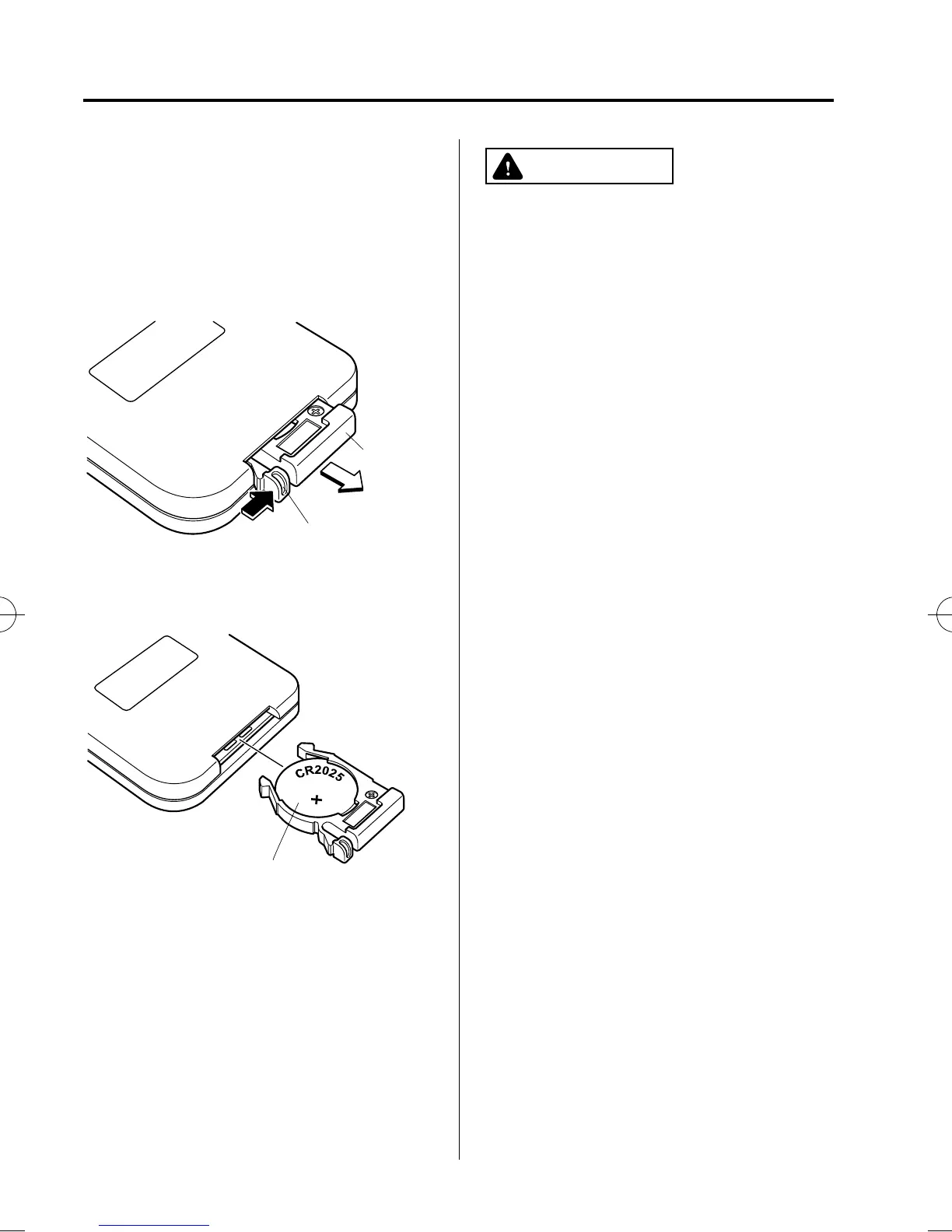
Battery: CR2025 LITHIUM or
equivalent (1)
1. Press the battery case tab in the
direction indicated by the arrow using
your thumbnail, and pull out the
battery case.
Tab
Battery
case
2. Remove the old battery and install a
new one with the plus pole pointed up.
Battery (CR2025 LITHIUM or equivalent)
3. Press the battery case tab in the
direction of the arrow until a click
sound is heard.
NOTE
If the remote controller is inoperable even
after the batteries are replaced, consult an
Authorized Mazda Dealer.
CAUTION
Ø Install the battery with the correct
pole pointing in the correct
direction. Battery leakage could
occur if they are not installed
correctly.
Ø When replacing the batteries, be
careful not to bend the electrical
terminals or get oil on them. Also,
be careful not to get dirt in the
remote controller as it could be
damaged.
6-90
Interior Comfort
Rear Entertainment System
CX-9_8BH3-EC-10H_Edition1 Page342
Friday, July 30 2010 3:0 PM
Form No.8BH3-EC-10H



 To Next Page