Black plate (395,1)
2. Say: [Beep] “Dial”
3. Prompt: “Number, please”
4. Say: [Beep] “XXXXXXXXXXX
(Telephone number)”
5. Prompt: “XXXXXXXXXXX.
(Telephone number) After the beep,
continue to add numbers, or say Go-
Back to re-enter the last entered
numbers, or press the Pick-Up button
to execute dialing.”
6. (Dialing)
Press the pick-up button or say “Dial”,
then go to Step 7.
(Adding/input ting telephon e
number)
Say, “XXXX” (desired telephone
number), then go to Step 5.
(Telephone number correction)
Say, “Go Back”. The prompt replies,
“Go Back. The last entered numbers
have been removed.”. Then go back to
Step 3.
7. Prompt: “Dialing”
NOTE
The “Dial” command and a telephone number
can be combined.
Ex. In Step 2, say, “Dial 123-4567”, then,
Steps 3 and 4 can be skipped.
qReceiving an Incoming Call
1. Prompt: “Incoming call, press the
pickup button to answer”.
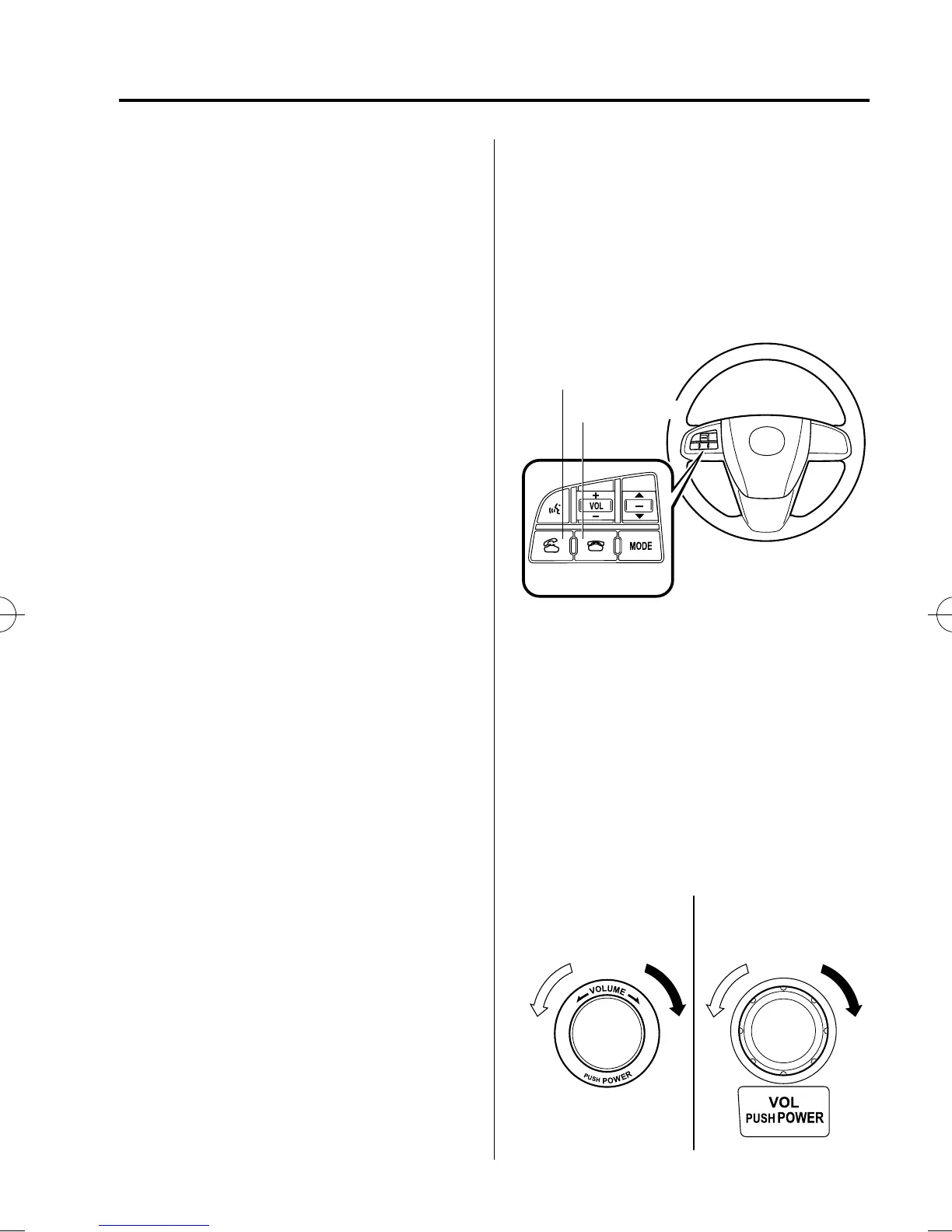
2. To accept the call, press the pick-up
button.
To reject the call, press the hang-up
button.
Pick-up button
Hang-up button
Pick-up button
qHanging Up a Call
Press the hang-up button during the call.
A beep sound wi ll confirm that call is
ended.
qVolume Adjustment
The power/volume dial of the audio unit
or the navigation system is used to adjust
the volume. Turn the dial to the right to
increase volume, to the left to decrease it.
Audio unit Navigation system
Interior Comfort
Bluetooth Hands-Free (Voice Recognition)
6-143
CX-9_8BH3-EC-10H_Edition1 Page395
Friday, July 30 2010 3:1 PM
Form No.8BH3-EC-10H



 To Next Page