Black plate (244,1)
qBluetooth Audio Preparation
Bluetooth audio device set-up
Bluetooth audio programming, changes ,
deletions, and display of programmed
device information can be performed.
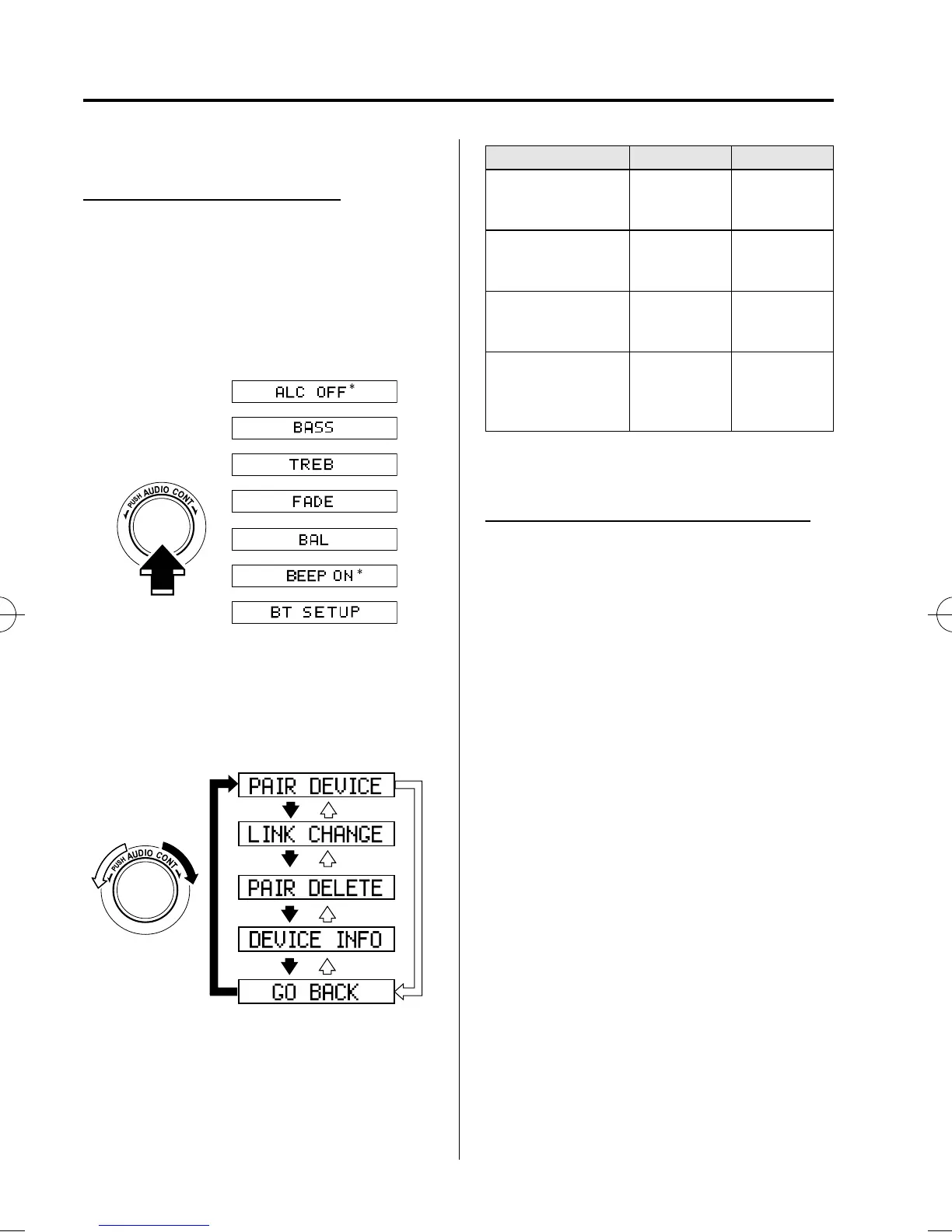
1. The mode changes as follows each
time the audio control dial is pressed.
Select “ BT SETUP”.
* Depending on the mode selected, the
indication changes.
2. Turn the audio control dial and select a
desired mode.
Display Mode Function
PAIR DEVICE
Pairing
program mode
Bluetooth
audio device
programming
LINK CHANGE
Link change
mode
Changing link
to Bluetooth
audio device
PAIR DELETE
Pairing
deletion mode
Deleting link
to Bluetooth
audio device
DEVICE INFO
Device
information
display mode
Displaying
vehicle's
Bluetooth unit
information
3. Press the audio control dial to
determine the mode.
Bluetooth audio device programming
Any Bluetooth audio device must be
programmed to the vehicle's Bluetooth
unit before it can be listened to over the
vehicle's speakers.
A maximum of seven devices including
Bluetooth audio devices and hands-free
mobile phones can be programmed to one
vehicle.
6-58
Interior Comfort
Bluetooth Audio
Mazda5_8BS1-EC-10J_Edition3 Page244
Monday, April 11 2011 3:41 PM
Form No.8BS1-EC-10J



 To Next Page