17
Information Display
INFO
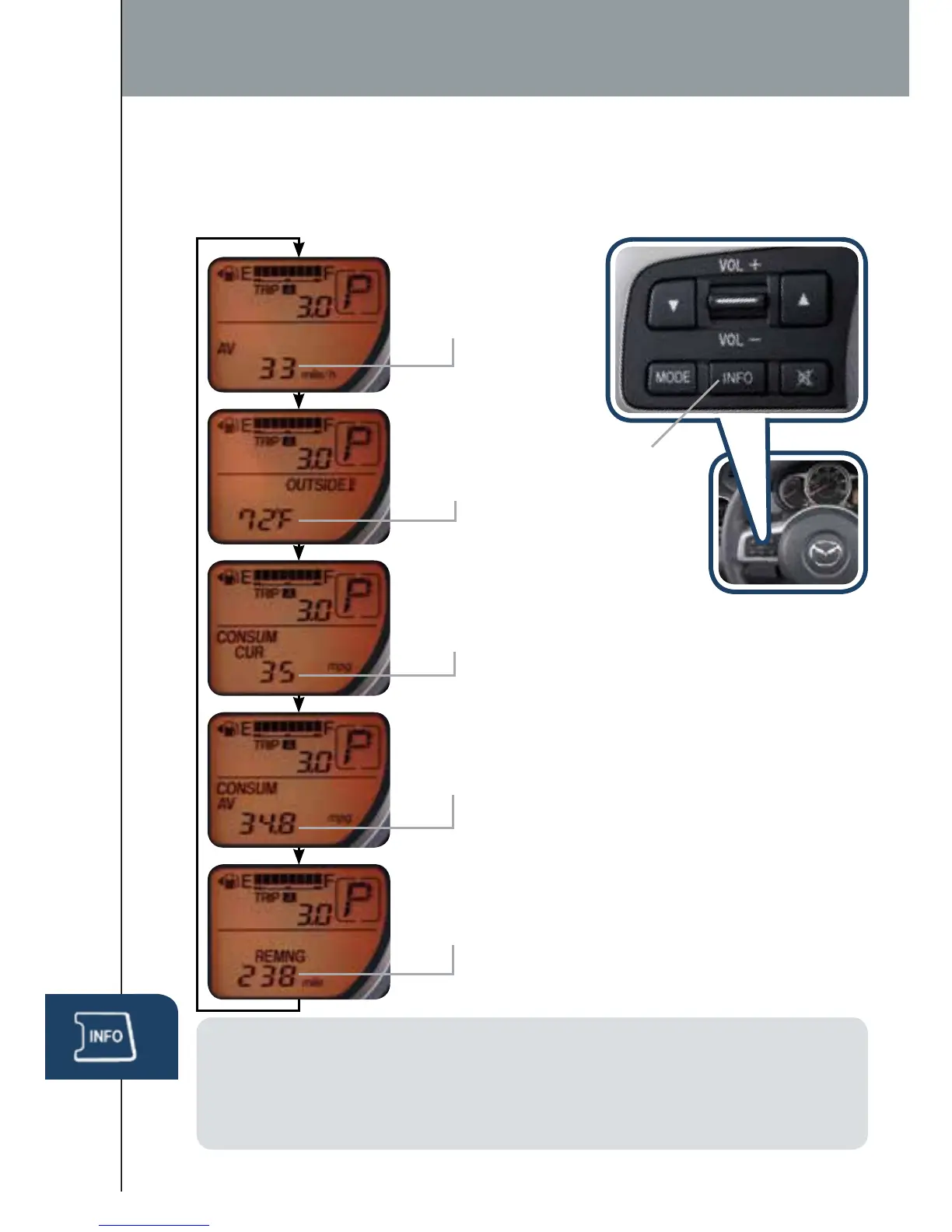
Push INFO button (optional) on steering wheel to display the following
(actual displayed information will vary on your vehicle):
•Average MPH (AV)
•Outside Temp
(OUTSIDE)
•Consumer Current MPG
(CONSUM CUR)
•Consumer Avg MPG (CONSUM AV)
•Remaining Miles (REMNG)
NOTE:
• To clear Average MPH or Consumer Avg. MPG, push and hold INFO button
when selected screen is displayed.
• To change the ambient temperature display between °F and °C or vice versa,
push and hold INFO button for three seconds when Outside Temp is displayed.
INFO
Button
1402859_14_Mazda2_SSG_071013.indd 17 7/10/13 4:11 PM



 To Next Page